Powering Your Rig: Selecting the Right PSU for 2026’s High-End Gaming Builds in the US, with a Focus on 80 Plus Platinum Efficiency
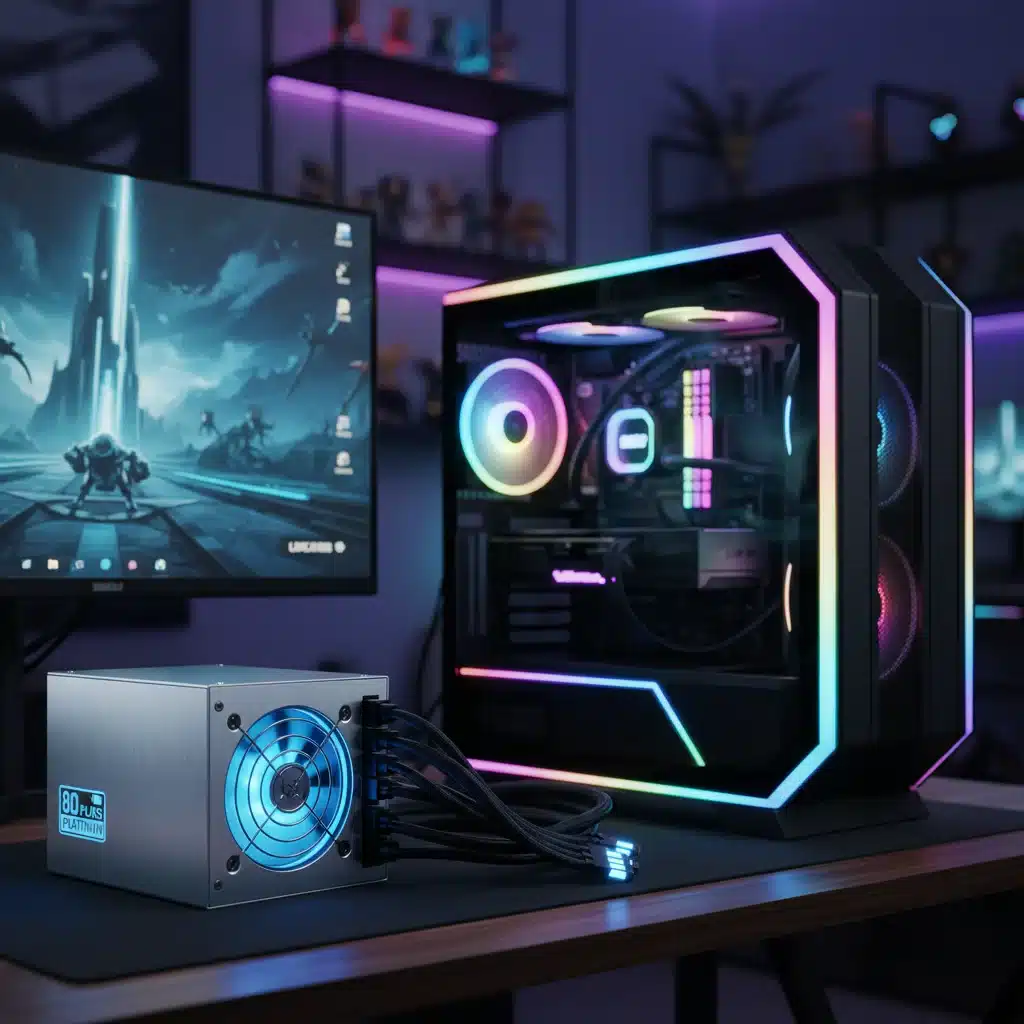
Powering Your Rig: Selecting the Right PSU for 2026’s High-End Gaming Builds in the US, with a Focus on 80 Plus Platinum Efficiency
As we hurtle towards 2026, the landscape of high-end PC gaming continues its relentless evolution. Graphics cards demand more power, processors become increasingly sophisticated, and the overall system requirements for an immersive, cutting-edge gaming experience are higher than ever. At the heart of every powerful gaming rig lies a component often overlooked but critically important: the Power Supply Unit (PSU). Far from being a mere box that converts wall power, a high-end gaming PSU is the lifeblood of your system, ensuring stable, clean, and efficient power delivery to every component. For gamers in the US assembling their dream machines, understanding the nuances of PSU selection, particularly focusing on the coveted 80 Plus Platinum efficiency rating, is paramount. This comprehensive guide will equip you with the knowledge to select the ideal high-end gaming PSU for your 2026 build, guaranteeing performance, reliability, and longevity.
Why Your PSU Matters More Than You Think
Before diving into specifications, let’s address a common misconception: that all PSUs are created equal. This couldn’t be further from the truth. A sub-par or incorrectly chosen PSU can lead to a litany of problems, including system instability, random crashes, component damage, and even fire hazards. Conversely, a well-chosen high-end gaming PSU provides:
- Stable Power Delivery: Essential for preventing voltage fluctuations that can harm sensitive components, especially during intense gaming sessions.
- Efficiency: Reduces wasted energy as heat, lowering your electricity bill and contributing to a cooler, quieter system.
- Reliability: High-quality components and robust design ensure your PSU operates flawlessly for years.
- Protection: Built-in safeguards protect your expensive components from power surges, overcurrents, and short circuits.
- Future-Proofing: Adequate wattage and modern connectors accommodate future upgrades.
For a 2026 high-end gaming build, skimping on the PSU is a false economy. It’s an investment that protects all your other investments.
Understanding Wattage: How Much Power Do You Really Need?
The first and most fundamental question when choosing a high-end gaming PSU is wattage. This isn’t a case where more is always better, but rather where enough is essential, with a little headroom for comfort. Modern GPUs, especially flagship models from NVIDIA and AMD, are power-hungry beasts. CPUs also contribute significantly to the power draw.
Estimating Your Wattage Requirements:
- Identify Your Core Components: List your chosen CPU (e.g., Intel Core i9, AMD Ryzen 9) and GPU (e.g., NVIDIA RTX 5090, AMD Radeon RX 8900 XT).
- Check Manufacturer Recommendations: Both CPU and GPU manufacturers provide recommended PSU wattages. Always start here.
- Factor in Other Components: Add power draw for your motherboard, RAM, multiple storage drives (SSDs, HDDs), cooling solutions (AIO coolers, multiple fans), and any RGB lighting. While individually small, these add up.
- Consider Overclocking: If you plan to overclock your CPU or GPU, you’ll need additional wattage headroom, as overclocking significantly increases power consumption.
- Aim for Headroom: A good rule of thumb is to calculate your total estimated power consumption and add a 20-30% buffer. This ensures your PSU isn’t running at 100% capacity constantly, which can reduce its lifespan and efficiency. For example, if your estimated peak draw is 700W, a 850W or 1000W PSU would be a wise choice.
For a typical 2026 high-end gaming build featuring a top-tier CPU and GPU, you’ll likely be looking at PSUs in the 850W to 1200W range. Extreme multi-GPU setups (though less common now) or highly overclocked systems might even push into 1500W territory.
The Gold Standard: 80 Plus Platinum Efficiency
The 80 Plus certification program rates a PSU’s energy efficiency. While there are various levels (White, Bronze, Silver, Gold, Platinum, Titanium), for a high-end gaming PSU in 2026, 80 Plus Platinum is the sweet spot. It offers an excellent balance of efficiency, performance, and cost.
What 80 Plus Platinum Means:
An 80 Plus Platinum certified PSU is guaranteed to be at least:
- 90% efficient at 20% load
- 92% efficient at 50% load
- 89% efficient at 100% load
These figures are for 115V internal non-redundant supplies, which is typical for the US market. Higher efficiency means less electricity is wasted as heat, leading to several benefits:
- Lower Electricity Bills: Over the lifespan of your PC, the energy savings from a Platinum PSU can be substantial.
- Reduced Heat Output: Less wasted energy means less heat generated inside your PC case, leading to better overall system temperatures and potentially less aggressive fan curves.
- Quieter Operation: With less heat to dissipate, the PSU’s fan often doesn’t need to spin as fast or as frequently, resulting in a quieter gaming experience.
- Component Longevity: Running cooler and more efficiently places less stress on the PSU’s internal components, contributing to a longer lifespan.
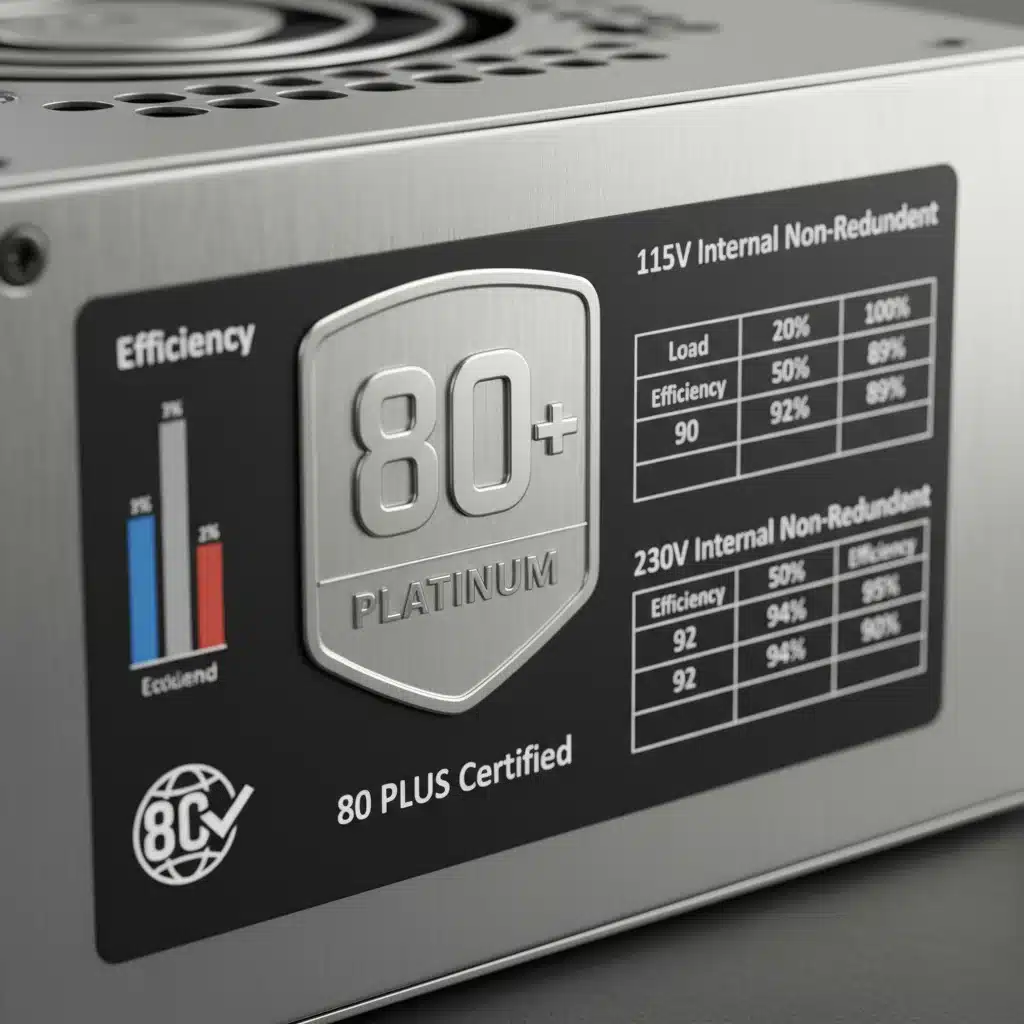
While 80 Plus Titanium offers even higher efficiency, the price premium often outweighs the marginal gains for most high-end gaming builds. Platinum strikes the perfect balance for performance enthusiasts.
Form Factor and Modularity: Beyond Raw Power
Once wattage and efficiency are determined, consider the physical aspects of the PSU.
Form Factor:
Most gaming PCs use the ATX form factor PSU. Ensure the PSU dimensions fit your chosen PC case. Smaller form factors like SFX or SFX-L are available for compact Mini-ITX builds, but these typically come with a price premium and sometimes lower wattage options. For a high-end gaming PSU, standard ATX is generally the way to go unless you’re building a SFF (Small Form Factor) PC.
Modularity:
PSUs come in three main types regarding cables:
- Non-Modular: All cables are permanently attached. This is the cheapest option but leads to significant cable clutter, hindering airflow and aesthetics. Not recommended for a high-end build.
- Semi-Modular: Essential cables (24-pin ATX, 8-pin CPU) are permanently attached, while others (PCIe, SATA, Molex) are detachable. A good compromise for many builds.
- Fully Modular: Every single cable is detachable. This offers the best cable management options, allowing you to only connect the cables you need, resulting in a cleaner build, improved airflow, and easier maintenance. This is highly recommended for any high-end gaming PSU.
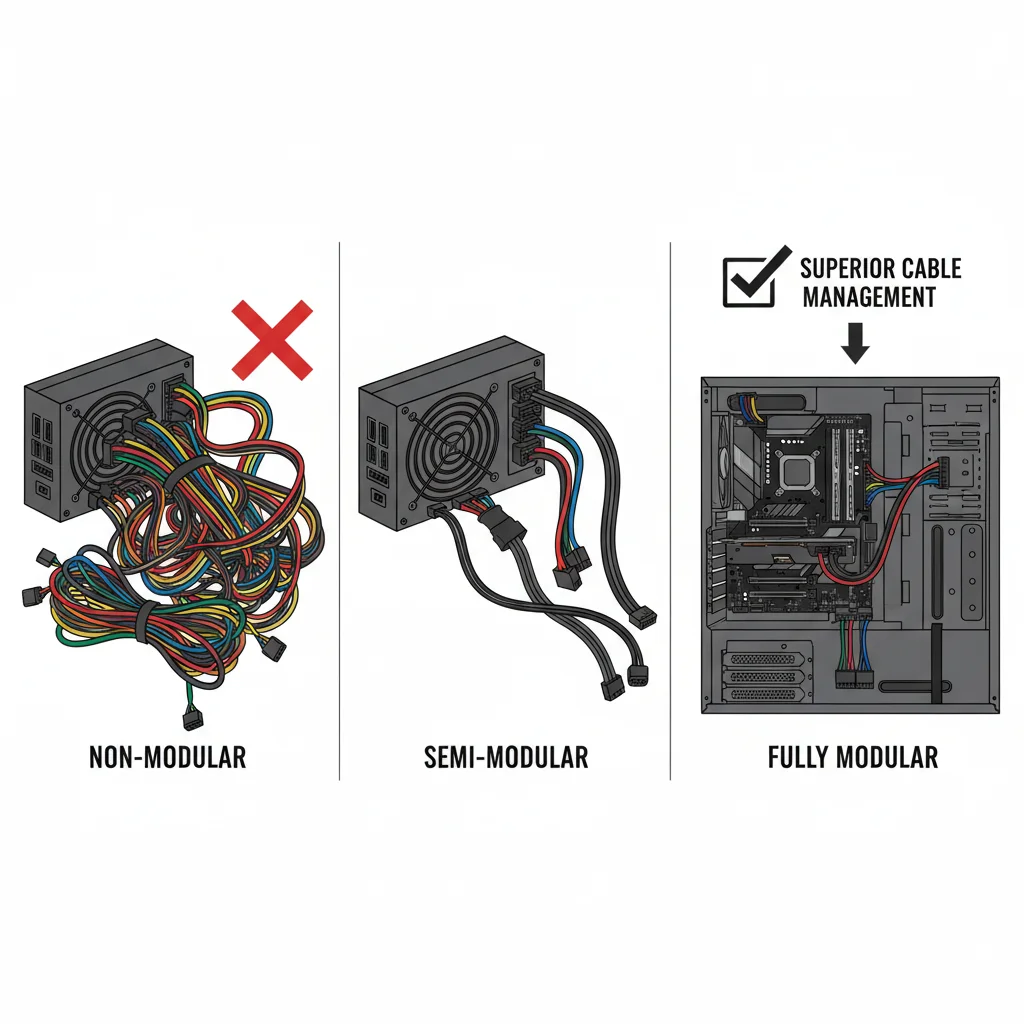
The benefits of a fully modular PSU for a high-end build cannot be overstated. It makes the building process significantly easier and allows for pristine cable management, which is crucial for both aesthetics and optimal airflow within your expensive gaming rig.
Connectors: Ensuring Compatibility with 2026 Hardware
As hardware evolves, so do power connectors. For 2026, several key connectors are crucial:
- ATX 24-Pin: Standard motherboard power.
- EPS 8-Pin (4+4-Pin): For CPU power. Many high-end motherboards now require two 8-pin EPS connectors for stable power delivery to top-tier CPUs, especially for overclocking. Ensure your PSU has at least two.
- PCIe 6+2-Pin: For graphics cards. Modern high-end GPUs often require multiple 8-pin (or 6+2-pin) connectors. Make sure your PSU has enough, with ample separate cables rather than daisy-chained ones, to avoid power delivery issues.
- 12VHPWR (PCIe 5.0) Connector: This is increasingly important. NVIDIA’s RTX 40-series introduced this new 12+4 pin connector, capable of delivering up to 600W through a single cable. Future high-end GPUs in 2026 are highly likely to continue using or evolving this standard. A high-end gaming PSU for 2026 should ideally feature a native 12VHPWR connector (or its successor) to avoid using adapters, which can be less reliable and bulkier.
- SATA Power: For SSDs and HDDs.
- Molex: Less common but still used for some older peripherals or fan controllers.
Always verify that the PSU you choose has the correct number and type of connectors for all your planned components, with particular attention to the GPU and CPU power connectors.
Reliability and Brand Reputation: Trusting Your Power Source
Given the critical role of a PSU, choosing a reputable brand known for quality and reliability is non-negotiable. Well-established brands often use higher-quality components, have more rigorous testing procedures, and offer better warranty support.
Key Factors for Reliability:
- Capacitors: Look for PSUs that use 100% Japanese capacitors. These are known for their superior quality, stability, and longer lifespan compared to Taiwanese or Chinese alternatives.
- Protections: A good PSU will include a suite of protection circuits: Over Power Protection (OPP), Over Voltage Protection (OVP), Under Voltage Protection (UVP), Short Circuit Protection (SCP), Over Current Protection (OCP), and Over Temperature Protection (OTP). These safeguards are vital for protecting your components.
- Warranty: A longer warranty (7-10 years is common for high-end PSUs) is a strong indicator of a manufacturer’s confidence in their product’s durability.
- Reviews and Benchmarks: Consult independent reviews from reputable tech sites that perform detailed PSU testing. They often measure ripple, voltage regulation, and efficiency, providing insights beyond marketing claims.
Brands like Seasonic, Corsair, EVGA, be quiet!, and Cooler Master frequently appear on lists of top-tier PSU manufacturers. While a high-end gaming PSU from these brands might cost more upfront, the peace of mind and long-term reliability are well worth the investment.
Cooling and Acoustics: A Quiet Powerhouse
The fan in your PSU plays a significant role in both cooling its internal components and contributing to your system’s overall noise level. For a high-end gaming build, you ideally want a PSU that is both efficient and quiet.
Key Cooling Features:
- Fan Size: Larger fans (120mm or 140mm) can move more air at lower RPMs, resulting in quieter operation.
- Fan Bearings: Fluid Dynamic Bearings (FDB) or Rifle Bearings are generally preferred over Sleeve Bearings for their quieter operation and longer lifespan.
- Fan Curves/Zero RPM Mode: Many high-end PSUs feature a ‘zero RPM’ or ‘fanless’ mode at low loads. This means the fan only spins up when the PSU reaches a certain temperature or power draw threshold, ensuring silent operation during less demanding tasks.
- Internal Design: A well-designed internal layout with good heatsinks allows for efficient heat dissipation, enabling the fan to run slower.
A quiet PSU contributes significantly to the overall enjoyment of your high-end gaming rig. When researching a high-end gaming PSU, always check reviews for acoustic performance, especially under load.
Future-Proofing Your High-End Gaming PSU for 2026 and Beyond
Investing in a high-end gaming PSU isn’t just about meeting current demands; it’s about anticipating future needs. PC hardware evolves rapidly, and a robust PSU can easily outlast several generations of GPUs and CPUs.
Strategies for Future-Proofing:
- Adequate Wattage Headroom: As discussed, having 20-30% more wattage than your current peak draw provides a buffer for future, more power-hungry components.
- Modern Connectors: Prioritise PSUs with native 12VHPWR (or its future iterations) and multiple 8-pin EPS connectors.
- High Efficiency (80 Plus Platinum): Ensures that even as your system draws more power, the efficiency remains high, preventing excessive heat and energy waste.
- Long Warranty: A long warranty period signifies the manufacturer’s confidence in the product’s longevity, aligning with your goal of future-proofing.
- Quality Components: Japanese capacitors and robust protection circuits contribute to a PSU that can withstand the test of time and evolving power demands.
Remember, a PSU is not something you want to upgrade frequently. A well-chosen high-end gaming PSU should comfortably serve you for 5-10 years, making the initial investment a smart long-term decision.
Installation Tips for Your High-End Gaming PSU
Once you’ve selected your perfect high-end gaming PSU, proper installation is key to maximizing its benefits and ensuring system stability.
- Safety First: Always unplug your PC from the wall socket before working inside. Discharge any residual power by holding the power button for a few seconds.
- Mounting: Most PSUs are mounted at the bottom of the case, with the fan facing downwards (if there’s a filtered vent) to draw in cool air, or upwards if the case design requires it. Consult your case manual.
- Cable Management: This is where modularity shines. Only connect the cables you need. Route cables neatly behind the motherboard tray and through grommets to maintain good airflow and a clean aesthetic. Use cable ties or Velcro straps.
- Secure Connections: Ensure all power connectors (24-pin ATX, EPS, PCIe, SATA) are firmly seated. Loose connections can lead to instability or component damage. For 12VHPWR, ensure it’s fully seated until it clicks, as partial insertion can lead to overheating.
- Testing: Before closing up your case completely, do a quick power-on test to ensure everything lights up and fans spin.
Taking your time with installation and cable management will not only make your build look professional but also contribute to better thermal performance and easier future upgrades.
Conclusion: Powering Your 2026 Gaming Dreams
Choosing the right high-end gaming PSU for your 2026 build in the US is a critical decision that impacts every aspect of your PC’s performance, stability, and longevity. By focusing on adequate wattage with headroom, embracing 80 Plus Platinum efficiency, opting for fully modular designs, ensuring compatibility with modern connectors like 12VHPWR, and prioritizing reputable brands with robust warranties, you are setting your gaming rig up for unparalleled success.
Do not view the PSU as an afterthought, but rather as the foundational component that empowers your expensive CPU, GPU, and other peripherals to perform at their absolute best. Invest wisely, and your high-end gaming PSU will reliably deliver the stable, clean power needed to conquer the most demanding titles of 2026 and beyond, ensuring an immersive and uninterrupted gaming experience. Happy building, and may your frames be high and your power supply be platinum-efficient!