Mechanical Keyboard Switches: 2026 Gaming Guide & Comparison
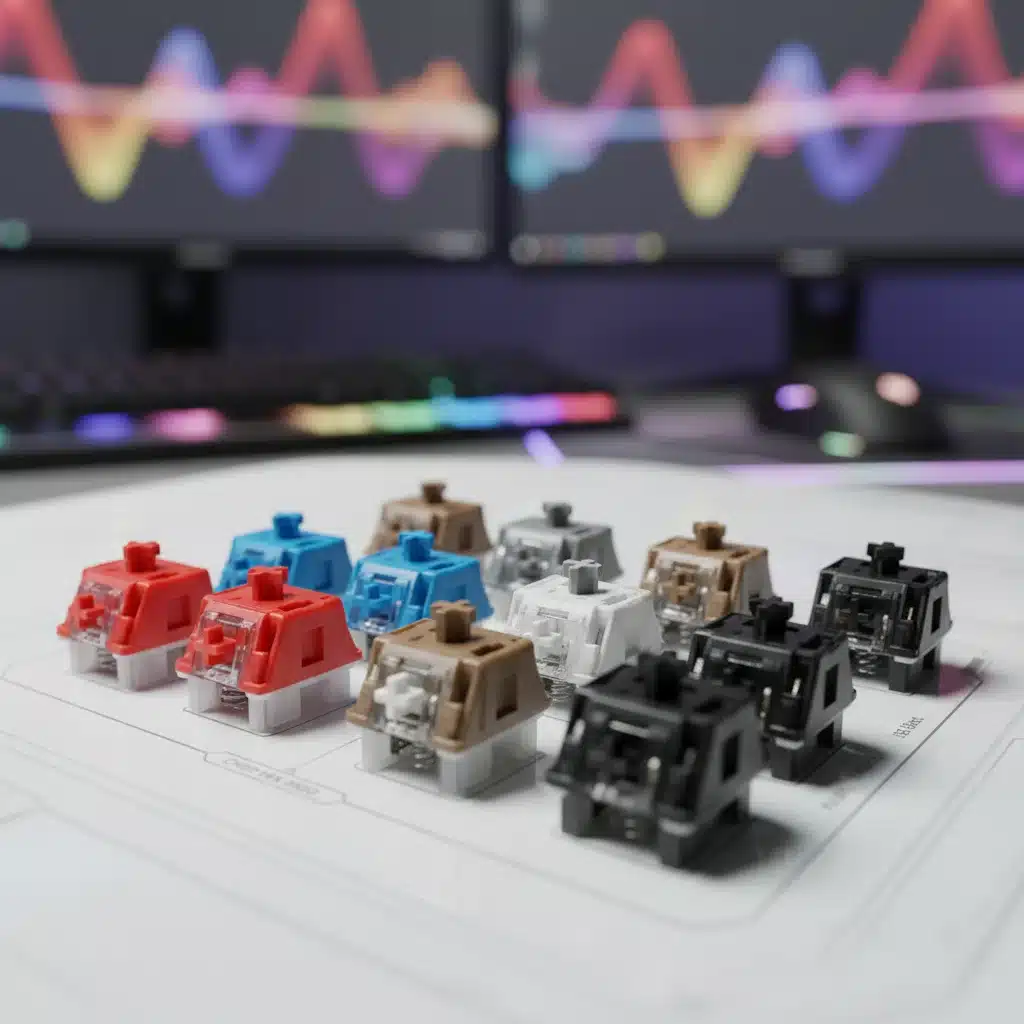
In the rapidly evolving landscape of PC gaming, every millisecond counts, and every piece of hardware plays a pivotal role in a player’s success. Among the most critical components for any serious gamer is the keyboard, and at the heart of every great gaming keyboard lies its switches. Mechanical keyboard switches are the unsung heroes, dictating not just the feel and sound of your keystrokes, but also your reaction time, typing comfort, and overall gaming performance. As we look towards 2026, the technology behind these tiny marvels continues to advance, offering an even wider array of choices tailored to specific needs and preferences.
This comprehensive guide delves deep into the world of mechanical keyboard switches, providing an in-depth comparison of the most popular and cutting-edge types available for 2026 gaming. Whether you’re a competitive esports player, a casual gamer, or someone who simply appreciates a superior typing experience, understanding the nuances of different switches is paramount to finding your perfect match. We’ll explore the characteristics, pros, and cons of six key types: Linear, Tactile, Clicky, Optical, Low-Profile, and Silent switches, helping you make an informed decision that elevates your gaming to the next level.
Understanding the Basics: What Are Mechanical Keyboard Switches?
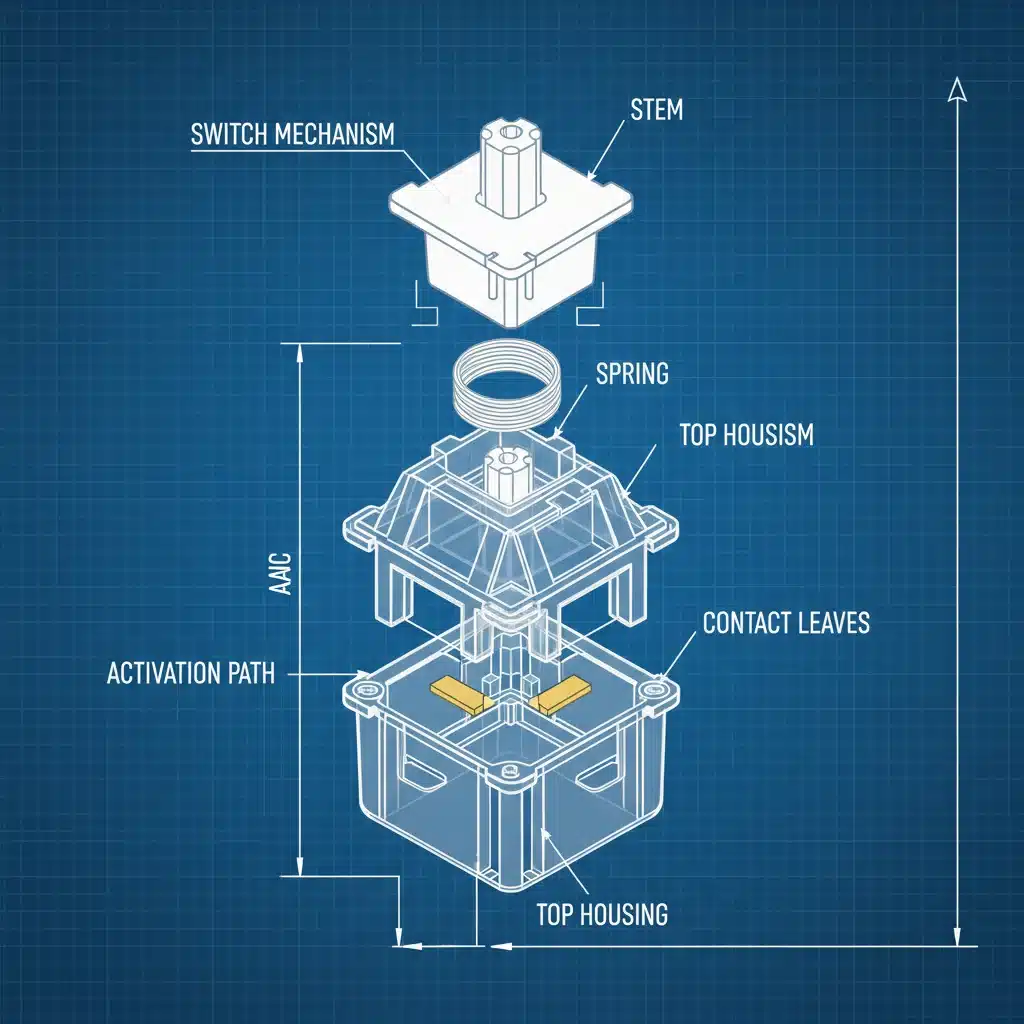
Before we dive into the specifics of each switch type, let’s briefly define what mechanical keyboard switches are and why they’re preferred over their membrane counterparts. A mechanical keyboard switch is a physical mechanism located beneath each keycap, comprising a housing, a spring, and a stem. When you press a key, the stem moves down, compressing the spring and completing an electrical circuit, registering the keystroke. This contrasts sharply with membrane keyboards, which use rubber domes and a single circuit layer, often resulting in a mushier feel and less precise actuation.
The primary advantages of mechanical keyboard switches include:
- Durability: Mechanical switches are built to last, often rated for 50 million or even 100 million keystrokes, significantly outlasting membrane keyboards.
- Tactile Feedback: Many switches provide a clear physical bump or audible click, letting you know precisely when a keypress has registered without having to bottom out the key.
- Actuation Point: The point at which a keystroke registers is often higher on mechanical switches, meaning you don’t have to press the key all the way down, leading to faster response times.
- Customization: The modular nature of mechanical switches allows for a vast array of options in terms of feel, sound, and actuation force, enabling users to tailor their typing experience.
- Consistency: Each keypress feels consistent across the entire keyboard, which is crucial for both typing accuracy and gaming precision.
Now, let’s explore the diverse world of mechanical keyboard switches for 2026 gaming.
1. Linear Switches: Smooth and Swift for Competitive Gaming
Linear switches are the go-to choice for many competitive gamers due to their smooth, consistent keystroke from top to bottom. They lack any tactile bump or audible click, providing an uninterrupted press that makes rapid, repeated key presses incredibly easy.
Key Characteristics:
- Smooth Travel: No bump, no click – just a straight, fluid motion.
- Actuation Force: Often lighter than tactile or clicky switches, requiring less effort to press.
- Sound Profile: Generally quieter, though bottoming out can still produce a thock or clack sound depending on the keyboard’s construction and keycaps.
Popular Examples for 2026:
- Cherry MX Red: The classic linear switch, known for its light actuation force (45cN) and smooth travel. Excellent for fast-paced games.
- Cherry MX Speed Silver: An even faster variant of the Red, with a shorter actuation distance (1.2mm vs. 2.0mm for Red), designed specifically for gaming.
- Gateron Yellow: A popular and often more affordable alternative to Cherry MX Red, offering a slightly heavier but still very smooth feel.
- Kailh Speed Silver: Similar to Cherry MX Speed Silver, offering rapid actuation.
Pros for Gaming:
- Speed: The smooth travel allows for extremely fast double-taps and rapid key presses, critical in FPS and MOBA games.
- Consistency: Predictable keystrokes reduce errors and increase precision during intense gaming sessions.
- Reduced Finger Fatigue: Lighter actuation forces can help reduce strain during long gaming marathons.
Cons for Gaming:
- Lack of Feedback: Some users miss the tactile confirmation of a keypress, which can lead to accidental actuations if not accustomed to the switch.
- Typing Experience: Can feel less satisfying for typing compared to tactile or clicky switches, as there’s no clear feedback point.
For gamers who prioritize raw speed and seamless execution, linear mechanical keyboard switches remain a top contender in 2026. Their straightforward design minimizes any potential interference with rapid inputs, making them a favourite in competitive environments.
2. Tactile Switches: The Best of Both Worlds
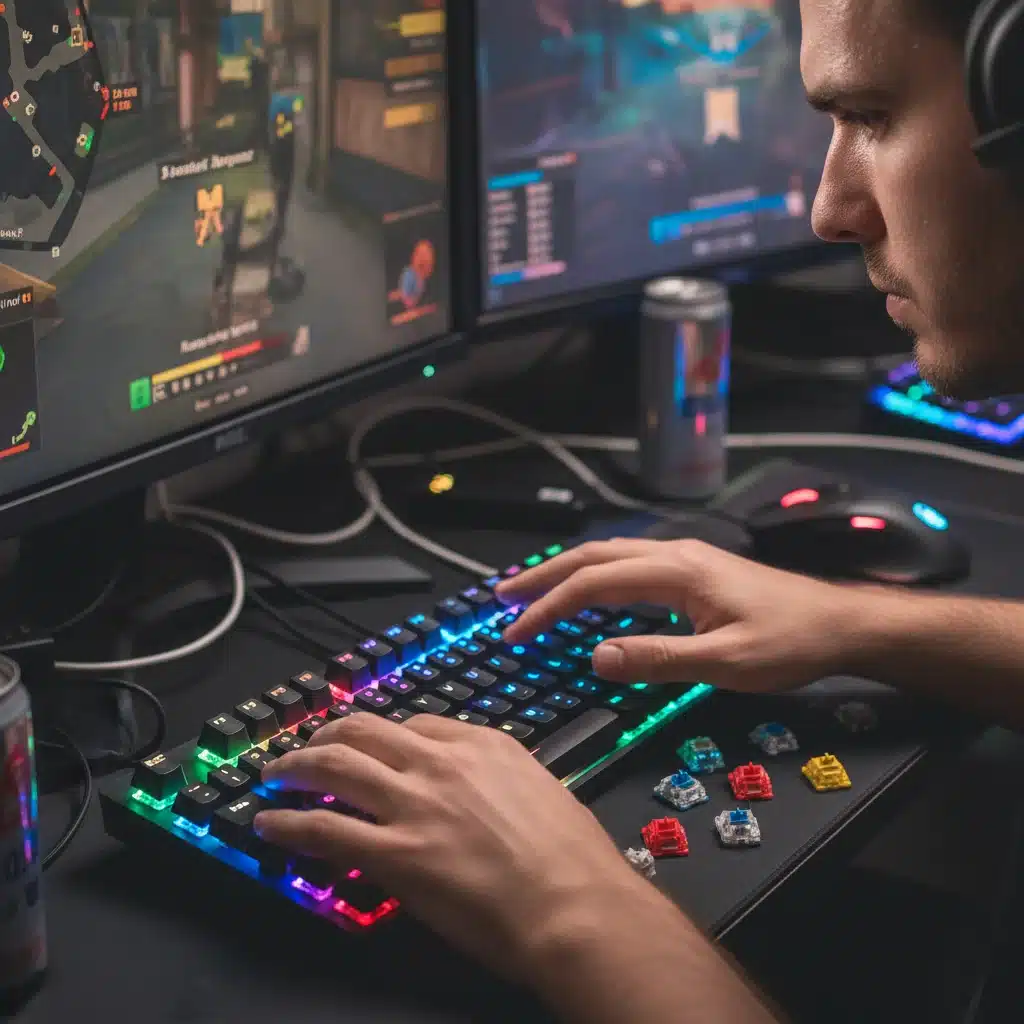
Tactile switches offer a noticeable bump during the keypress, providing physical feedback that a key has been actuated without an audible click. This makes them a popular choice for both typing and gaming, striking a balance between feedback and speed.
Key Characteristics:
- Tactile Bump: A small, perceptible bump partway through the key travel signals actuation.
- Actuation Point: The bump typically occurs just before or at the actuation point.
- Sound Profile: Generally quieter than clicky switches, but louder than linear due to the bump mechanism.
Popular Examples for 2026:
- Cherry MX Brown: The most widely recognized tactile switch, offering a subtle bump that’s great for all-around use.
- Cherry MX Clear: A heavier version of the MX Brown with a more pronounced tactile bump.
- Gateron Brown: Similar to Cherry MX Brown but often described as slightly smoother.
- Glorious Panda/Holy Panda: Highly sought-after switches known for their extremely sharp and satisfying tactile bump.
Pros for Gaming:
- Actuation Confirmation: The tactile bump provides clear feedback, helping to prevent missed keypresses or accidental double-taps.
- Precision: Allows for more precise control over keystrokes, as you can feel exactly when the input registers.
- Versatility: Excellent for hybrid users who game and type extensively on the same keyboard.
Cons for Gaming:
- Slightly Slower: The tactile bump, while helpful, can slightly impede the absolute fastest rapid-fire presses compared to linear switches.
- Learning Curve: Some gamers might need time to adjust to the bump if they are used to linear switches.
For gamers who value feedback and accuracy without the auditory distraction of a click, tactile mechanical keyboard switches are an outstanding option. They provide a confident typing and gaming experience, making them a strong contender for a wide range of users in 2026.
3. Clicky Switches: Auditory Satisfaction and Clear Feedback
Clicky switches are known for their distinctive audible click and tactile bump, providing both auditory and physical feedback upon actuation. They are often associated with the classic mechanical keyboard experience.
Key Characteristics:
- Audible Click: A crisp, loud click sound accompanies the tactile bump.
- Tactile Bump: Similar to tactile switches, but often more pronounced.
- Actuation Force: Can vary, but often similar to or slightly heavier than tactile switches.
Popular Examples for 2026:
- Cherry MX Blue: The quintessential clicky switch, offering a satisfying click and distinct bump.
- Kailh Box White: Known for a cleaner, crisper click sound and improved dust/water resistance.
- Gateron Blue: A more affordable alternative to Cherry MX Blue, with a similar feel and sound.
Pros for Gaming:
- Maximum Feedback: The combination of a tactile bump and an audible click provides undeniable confirmation of a keypress, reducing errors.
- Satisfying Experience: Many users find the clicky sound and feel highly satisfying, enhancing the overall gaming and typing experience.
Cons for Gaming:
- Noise: The loud click can be disruptive in shared environments or during late-night gaming sessions, especially if you’re streaming or in voice chat.
- Slightly Slower: The mechanism that produces the click can sometimes add a minuscule delay compared to linear switches, though this is often imperceptible to most users.
While their noise profile can be a deal-breaker for some, clicky mechanical keyboard switches continue to have a dedicated following among gamers who love the robust feedback and iconic sound. If you game in a private space and appreciate definitive confirmation of your inputs, these could be your ideal 2026 switches.
4. Optical Switches: Light-Speed Actuation
Optical mechanical switches represent a significant technological leap, using light to register keystrokes instead of traditional metal contacts. When a key is pressed, it breaks a beam of light, instantly sending a signal to the computer. This eliminates debounce delay, a tiny lag inherent in traditional mechanical switches, and offers extreme durability.
Key Characteristics:
- Light Actuation: Registers keystrokes via an infrared light beam.
- Zero Debounce: Virtually instantaneous actuation, as there are no physical contacts to bounce.
- Durability: Fewer moving parts and no metal contacts to wear out mean an extended lifespan, often rated for 100 million+ keystrokes.
- Variety: Available in linear, tactile, and clicky variants, mimicking the feel of traditional mechanical switches.
Popular Examples for 2026:
- Razer Optical Switches (Linear Red, Clicky Purple): Popularized by Razer, offering their own distinct feel.
- Bloody Light Strike (LK) Optical Switches: Known for their rapid response times.
- Gateron Optical Switches: Available in various colours, providing a smooth optical experience.
Pros for Gaming:
- Unmatched Speed: The fastest possible actuation due to the elimination of debounce delay, offering a competitive edge.
- Extreme Durability: Ideal for heavy-duty gamers who put their keyboards through rigorous use.
- Water and Dust Resistance: Often designed with better ingress protection due to fewer exposed electrical contacts.
Cons for Gaming:
- Limited Compatibility: Optical switches are typically proprietary to specific keyboard brands and are not interchangeable with standard mechanical switches.
- Feel Variation: While they mimic traditional switches, some users may notice subtle differences in feel.
For the absolute fastest response times and unparalleled durability, optical mechanical keyboard switches are a compelling choice for serious gamers in 2026. They push the boundaries of what’s possible in input speed, making them a future-proof option.
5. Low-Profile Switches: Ergonomics Meets Performance
Low-profile mechanical switches are designed to offer the benefits of mechanical switches in a slimmer form factor. This results in keyboards that are thinner and require less key travel, often leading to a more ergonomic typing and gaming experience.
Key Characteristics:
- Reduced Height: Significantly shorter overall height compared to standard mechanical switches.
- Shorter Travel Distance: Less distance to press the key, leading to faster bottom-out.
- Actuation Force: Can vary, but often designed to feel similar to their full-size counterparts.
- Feel Variety: Available in linear, tactile, and clicky variations.
Popular Examples for 2026:
- Cherry MX Low Profile RGB Speed: A linear switch with a short actuation distance, optimized for gaming.
- Kailh Choc Switches (V1 & V2): A popular series of low-profile switches available in various tactile and linear options.
- Logitech GL Switches (Tactile, Linear, Clicky): Proprietary switches found in Logitech’s low-profile gaming keyboards.
Pros for Gaming:
- Ergonomics: The reduced height can lead to a more natural wrist posture, reducing strain during extended gaming sessions.
- Faster Actuation (Perceived): While travel distance is shorter, the perception of faster input can be significant for some gamers.
- Portability: Thinner keyboards are often lighter and more portable.
Cons for Gaming:
- Feel Adjustment: The shallower key travel can take some getting used to, especially for those accustomed to full-height switches.
- Limited Keycap Compatibility: Often use proprietary keycap designs, limiting customization options.
- Less "Mechanical" Feel: Some users report a slightly less robust mechanical feel due to the smaller components.
Low-profile mechanical keyboard switches are gaining traction for gamers who seek a more ergonomic setup without compromising on mechanical performance. They offer a fresh perspective on keyboard design and could be the perfect fit for players looking for comfort and speed in 2026.
6. Silent Switches: Stealthy Gaming
Silent mechanical switches are designed to significantly reduce the noise produced by keypresses, particularly the sound of bottoming out. They achieve this through dampeners, usually made of rubber or silicone, integrated into the switch stem or housing.
Key Characteristics:
- Noise Reduction: Substantially quieter than standard mechanical switches, especially during bottom-out.
- Dampening: Internal dampeners absorb impact noise.
- Feel: Available in linear and tactile variants, often with a slightly softer bottom-out feel due to the dampeners.
Popular Examples for 2026:
- Cherry MX Silent Red: A linear silent switch, ideal for quiet environments.
- Cherry MX Silent Black: A heavier linear silent switch.
- Gateron Silent Switches (Red, Brown, Black): Offer silent versions across their popular linear and tactile options.
- Durock Silent Linear/Tactile: Premium silent switches known for their smoothness and effective dampening.
Pros for Gaming:
- Quiet Operation: Perfect for streamers, content creators, shared living spaces, or late-night gaming where noise is a concern.
- Reduced Distraction: Minimizes auditory distraction for both the user and others nearby.
Cons for Gaming:
- Softer Bottom-Out: Some users might find the cushioned bottom-out less satisfying than the firm feel of standard switches.
- Slightly Higher Price: Can sometimes be more expensive due to the added dampening components.
For gamers who need a stealthy setup without sacrificing the benefits of mechanical switches, silent mechanical keyboard switches are an excellent choice. They allow for focused, undisturbed gaming, making them a valuable option for 2026.
Choosing Your Perfect Match for 2026 Gaming
With such a diverse array of mechanical keyboard switches available, selecting the "best" one is ultimately a personal decision. There’s no one-size-fits-all answer, as your ideal switch depends heavily on your gaming style, personal preferences, and environment.
Consider these factors when making your choice:
- Gaming Genre:
- FPS/MOBA: Linear switches (Cherry MX Red, Speed Silver, Gateron Yellow) are often preferred for their rapid actuation and ease of double-tapping. Optical switches take this a step further.
- RTS/MMO: Tactile switches (Cherry MX Brown, Glorious Panda) can be beneficial for ensuring every complex command is registered accurately.
- Casual/Variety: Any switch type can work, but tactile switches often provide a good balance.
- Typing vs. Gaming Balance: If your keyboard is also your primary typing tool, tactile or even clicky switches might offer a more satisfying and accurate typing experience. Linear switches are generally less ideal for heavy typing unless you prefer a very light touch.
- Noise Tolerance: If you game in a shared space, stream, or simply prefer a quieter setup, silent linear or tactile switches are a must. Clicky switches are best reserved for private environments.
- Actuation Force and Travel: Experiment with different forces and travel distances. Lighter switches can reduce fatigue but might lead to more accidental presses. Shorter travel can feel faster but requires precise control.
- Ergonomics: If wrist comfort is a primary concern, especially during long sessions, low-profile switches might offer a more natural typing angle.
- Budget and Customization: While Cherry MX and Gateron are widely available, proprietary optical or custom switches might lock you into a specific brand or ecosystem.
Try Before You Buy:
The best way to determine your preference is to try out different mechanical keyboard switches. Many retailers offer switch testers, small boards with various switches mounted, allowing you to feel and hear the differences firsthand. Attending tech conventions or visiting electronics stores can also provide opportunities to test different keyboards.
The Future of Mechanical Keyboard Switches for Gaming
As we advance into 2026 and beyond, innovation in mechanical keyboard switches shows no signs of slowing down. We can anticipate further refinements in existing technologies and the emergence of new ones:
- Adjustable Actuation: More keyboards are integrating switches with adjustable actuation points, allowing users to fine-tune the sensitivity of each key to their exact preference, even on a per-key basis. This is particularly beneficial for gaming, where different actions might require different response profiles.
- Magnetic Switches (Hall Effect): These switches use magnets and Hall effect sensors to detect keypresses, offering unparalleled durability and the ability for completely analogue input (like a joystick), allowing for nuanced control in games. They also enable adjustable actuation with extreme precision.
- Advanced Optical Designs: Expect optical switches to become even more sophisticated, potentially offering more tactile feedback options and greater compatibility.
- Sustainable Materials: A growing focus on environmental responsibility may lead to more switches being made from recycled or sustainable materials without compromising performance.
- Integrated Smart Features: Switches might incorporate micro-sensors for advanced analytics on typing habits, keypress force, and more, further optimizing the user experience.
These developments promise even greater levels of customization, performance, and user comfort, solidifying the mechanical keyboard’s position as the ultimate input device for gaming.
Conclusion: Your Ultimate Gaming Setup Starts Here
Choosing the right mechanical keyboard switches is a crucial step in optimizing your gaming setup for 2026. Whether you lean towards the lightning-fast responsiveness of linear switches, the satisfying feedback of tactile switches, the definitive click of clicky switches, the cutting-edge speed of optical switches, the ergonomic comfort of low-profile switches, or the stealthy operation of silent switches, there’s a perfect match waiting for you.
By understanding the unique characteristics and benefits of each type, you can make an informed decision that will significantly enhance your gaming performance, reduce fatigue, and provide a truly enjoyable and personalized experience. Invest time in researching and, if possible, testing different switches. Your hands, and your in-game performance, will thank you for it. Happy gaming!