Gaming Laptop Buyer’s Guide 2026: RTX 4070 Under £2,000
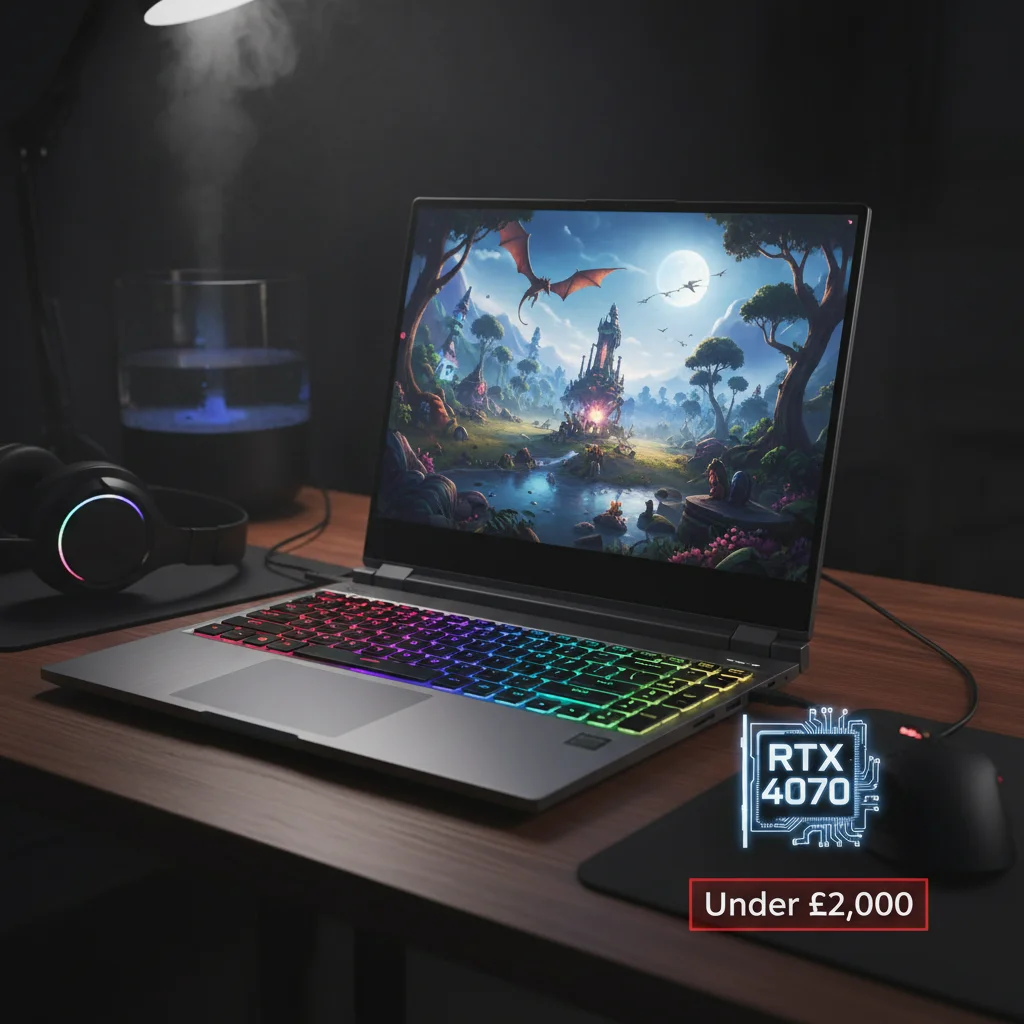
Welcome to the ultimate Gaming Laptop Buyer’s Guide 2026! In the rapidly evolving world of PC gaming, staying ahead of the curve while managing your budget can feel like a monumental task. As we venture further into 2026, the demand for powerful yet affordable gaming machines continues to surge. This guide is specifically crafted for enthusiasts looking to secure a high-performance gaming laptop, specifically one equipped with a minimum NVIDIA GeForce RTX 4070 graphics card, all while keeping the price tag comfortably under the £2,000 mark. This isn’t just about finding a laptop; it’s about finding the right Gaming Laptop RTX 4070 that delivers exceptional value, future-proofing your gaming experience for years to come.
The RTX 4070, part of NVIDIA’s Ada Lovelace architecture, represents a sweet spot for performance and efficiency. It offers significant improvements over previous generations, bringing advanced features like enhanced Ray Tracing cores and Tensor Cores for DLSS 3.0, which can dramatically boost frame rates and visual fidelity in supported titles. For many gamers, this GPU is the ideal balance, offering superb performance in 1080p and 1440p resolutions, making it a highly sought-after component in any serious gaming setup. Our mission today is to demystify the process of acquiring such a machine without emptying your wallet.
Navigating the vast market of gaming laptops requires a keen eye and a strategic approach. Prices fluctuate, specifications vary wildly, and marketing jargon can often obscure the true value of a device. This guide will break down the essential components, highlight key considerations, and provide actionable tips to help you make an informed decision. By focusing on the Gaming Laptop RTX 4070, we ensure that our recommendations are geared towards delivering a premium gaming experience that remains accessible. Let’s dive in and discover how to find your next gaming powerhouse.
Understanding the RTX 4070: Why It’s Your Go-To GPU for 2026
The NVIDIA GeForce RTX 4070 is a formidable graphics processing unit, designed to deliver a high-end gaming experience. For the budget-conscious gamer in 2026, it represents perhaps the best blend of performance, features, and potential longevity. But what exactly makes the Gaming Laptop RTX 4070 such a compelling choice?
Ada Lovelace Architecture and DLSS 3.0
At its core, the RTX 4070 is built on NVIDIA’s cutting-edge Ada Lovelace architecture. This architecture introduces several innovations that directly benefit gaming performance. Chief among these is the improved efficiency, allowing for more power in a smaller thermal envelope, which is crucial for laptops. Furthermore, the RTX 4070 fully supports DLSS 3.0 (Deep Learning Super Sampling). DLSS 3.0, with its AI-powered Frame Generation, can intelligently create entirely new frames, effectively doubling or even tripling frame rates in compatible games without a significant loss in image quality. This technology is a game-changer, especially for laptops, as it extends the lifespan of your GPU by allowing it to run future demanding titles smoothly.
Ray Tracing Performance
Ray Tracing has become a hallmark of modern gaming graphics, offering incredibly realistic lighting, shadows, and reflections. The RTX 4070 features third-generation RT Cores, significantly enhancing its ray tracing capabilities compared to previous generations. This means you can enjoy the most visually stunning games with ray tracing enabled, experiencing environments rendered with breathtaking realism, all without crippling your frame rates. For a Gaming Laptop RTX 4070, this is a major selling point, providing an immersive visual experience that was once reserved for only the most expensive desktop rigs.
VRAM and Future-Proofing
The RTX 4070 typically comes with 8GB of GDDR6 VRAM. While some might argue for more, 8GB is currently sufficient for playing most modern games at 1080p and 1440p resolutions with high settings. As games become more demanding, VRAM requirements tend to increase. However, with DLSS 3.0’s efficiency gains, the 8GB VRAM on an RTX 4070 will likely hold up well into the next few years, offering a degree of future-proofing that is essential when investing in a gaming laptop under £2,000.
Power Efficiency and Thermals
One of the biggest challenges for gaming laptops is managing heat. The Ada Lovelace architecture is known for its improved power efficiency, meaning the RTX 4070 can deliver impressive performance without generating excessive heat. This is a critical factor in laptop design, as better thermal management leads to more stable performance, less throttling, and a more comfortable user experience. When searching for your ideal Gaming Laptop RTX 4070, pay close attention to the Total Graphics Power (TGP) of the GPU, which can vary between laptop models and significantly impact performance.
Key Components Beyond the GPU: What Else Matters?
While the RTX 4070 is undoubtedly the star of the show, a gaming laptop is a symphony of components working in harmony. Neglecting other crucial aspects can lead to a less-than-optimal experience, even with a powerful GPU. Here’s what else you need to prioritise when selecting your Gaming Laptop RTX 4070.
Processor (CPU): The Brain of Your Machine
A powerful GPU needs a capable CPU to feed it data efficiently. For a 2026 gaming laptop, look for modern processors from Intel (e.g., 13th or 14th Gen Core i7/i9, or newer) or AMD (e.g., Ryzen 7/9 7000 series, or newer). These CPUs offer excellent multi-core performance, essential for modern games and multitasking. A good CPU ensures that your RTX 4070 isn’t bottlenecked, allowing it to perform at its full potential. Prioritise processors with a good balance of core count and clock speed.
RAM (Memory): Speed and Capacity
For comfortable gaming in 2026, 16GB of DDR5 RAM should be considered the minimum. DDR5 offers significantly faster speeds than DDR4, contributing to overall system responsiveness and game loading times. While 32GB is ideal for power users and future-proofing, 16GB is perfectly adequate for most gaming scenarios, especially when aiming for a budget under £2,000. Ensure the RAM is running at a decent speed (e.g., 4800MHz or higher).
Storage: SSD is Non-Negotiable
Gone are the days of mechanical hard drives for gaming. An NVMe PCIe SSD is an absolute must. It dramatically reduces game loading times, system boot times, and file transfer speeds. Aim for at least 512GB of storage, though 1TB is highly recommended to accommodate modern game sizes. Some laptops offer a combination of an NVMe SSD for the operating system and key games, and a larger SATA SSD for additional storage, which can be a cost-effective solution.
Display: Refresh Rate and Resolution
Even the most powerful GPU is wasted if your display can’t keep up. For a Gaming Laptop RTX 4070, prioritize a high refresh rate display. A 1080p (FHD) display with a refresh rate of 120Hz, 144Hz, or even 165Hz is ideal for competitive gaming and smooth visuals. If you can find a 1440p (QHD) display within your budget, that’s a fantastic bonus, as the RTX 4070 can handle 1440p gaming very well, especially with DLSS. Look for good colour accuracy and brightness for an immersive experience.
Cooling System: The Unsung Hero
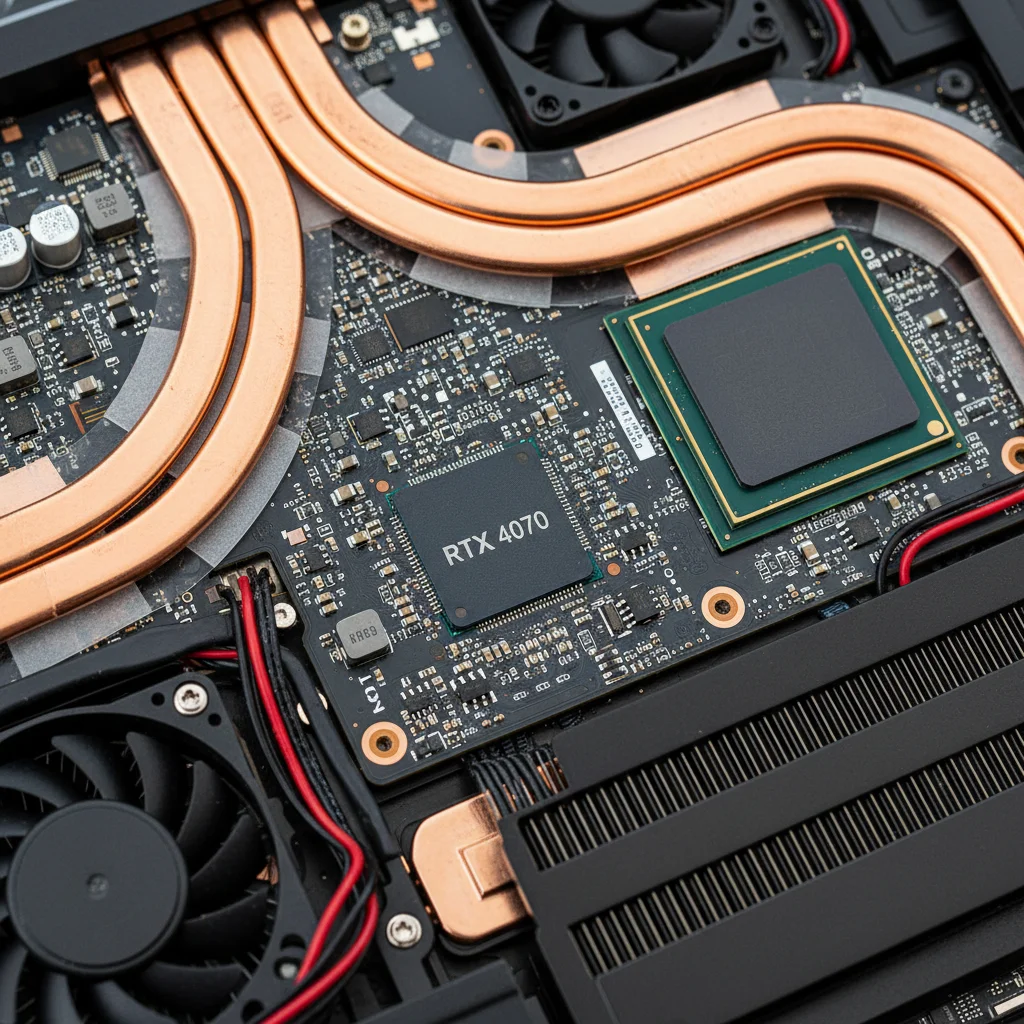
A robust cooling system is paramount in a gaming laptop. High-performance components generate heat, and effective dissipation is crucial to prevent thermal throttling, which can severely impact performance. Look for laptops with multiple heat pipes, large fans, and well-designed ventilation. Reviews often highlight cooling performance, so pay close attention to what users and professional reviewers say about a model’s thermal management under load. This is often the differentiator between two similarly specced laptops.
Strategic Shopping: Finding Your RTX 4070 Laptop Under £2,000
Now that we know what to look for, let’s discuss how to find that elusive Gaming Laptop RTX 4070 within your £2,000 budget. This requires patience, research, and a bit of timing.
Timing Your Purchase
Laptop prices, especially for gaming models, fluctuate throughout the year. Key sales events like Black Friday, Cyber Monday, Amazon Prime Day, and seasonal sales (e.g., back-to-school, end-of-year) are prime opportunities to snag a deal. Keep an eye on tech retailers and manufacturer websites during these periods. Sometimes, new product launches can also lead to price drops on slightly older, but still highly capable, models.
Comparing Retailers and Brands
Don’t limit yourself to just one or two retailers. Check major electronics stores, online marketplaces, and the official websites of gaming laptop brands (e.g., MSI, ASUS ROG, Acer Predator, Lenovo Legion, HP Omen, Dell Alienware). Different retailers may have exclusive deals or bundles. Also, consider refurbished units from reputable sellers with warranties; these can offer significant savings on high-end hardware.
Understanding TGP (Total Graphics Power)
This is a critical, often overlooked detail for a Gaming Laptop RTX 4070. The RTX 4070 in one laptop might perform differently from an RTX 4070 in another, even with the same core specs. This is due to the Total Graphics Power (TGP) allocated to the GPU by the laptop manufacturer. A higher TGP (e.g., 100W+ for an RTX 4070) generally means better performance, as the GPU can draw more power and boost to higher clock speeds. Always try to find the TGP in the specifications or reviews, as a lower TGP can significantly hamper performance, even with an RTX 4070.
Prioritising Features vs. Budget
To stay under £2,000, you might need to make some compromises. For instance, a 1080p 144Hz display might be more realistic than a 1440p 165Hz display. Similarly, you might opt for 16GB of RAM instead of 32GB, or a 512GB SSD instead of 1TB, with the option to upgrade later if the laptop allows. Focus on the core components (GPU, CPU, RAM, primary SSD) that are difficult or impossible to upgrade later. Aesthetics, RGB lighting, and premium build materials might be areas where you can compromise to save money.
Reading Reviews and Watching Benchmarks
Before making a purchase, thoroughly research potential models. Read professional reviews from reputable tech websites and watch video benchmarks on YouTube. Pay attention to real-world gaming performance, thermal management, battery life (if important to you), and build quality. User reviews can also provide valuable insights into long-term reliability and common issues. Look for reviews that specifically test the Gaming Laptop RTX 4070 configuration you are considering.
The £2,000 Sweet Spot: What to Expect and What to Avoid
Achieving a Gaming Laptop RTX 4070 under £2,000 in 2026 is an ambitious but entirely achievable goal. Here’s a realistic expectation of what you should aim for and what red flags to watch out for.
What to Expect in the £1,500 – £2,000 Range
- GPU: NVIDIA GeForce RTX 4070 (ensure TGP is at least 80W-100W+).
- CPU: Intel Core i7 (13th/14th Gen or newer) or AMD Ryzen 7 (7000 series or newer).
- RAM: 16GB DDR5 (4800MHz+).
- Storage: 512GB or 1TB NVMe PCIe Gen4 SSD.
- Display: 15.6-inch or 17.3-inch FHD (1920×1080) with 144Hz-165Hz refresh rate. Some rare deals might offer QHD (2560×1440) at 120Hz+.
- Build Quality: A mix of plastic and metal construction is common. Expect decent but not ultra-premium build quality.
- Cooling: Competent cooling systems with multiple heat pipes and fans, but perhaps not the absolute best in class.
- Keyboard: Backlit keyboard, often with single-zone or 4-zone RGB.
Red Flags and What to Avoid
- Low TGP RTX 4070: If a laptop advertises an RTX 4070 but has a TGP significantly below 80W (e.g., 60-70W), its performance will be severely limited. This is a common cost-cutting measure that drastically impacts gaming.
- Older Generation CPUs: Avoid anything older than Intel 12th Gen or AMD Ryzen 6000 series unless the deal is absolutely irresistible and you understand the performance implications.
- DDR4 RAM: While not a deal-breaker for all, DDR5 is the standard for 2026. If a model with DDR4 RAM is significantly cheaper, weigh the pros and cons carefully.
- Only HDD Storage: A gaming laptop in 2026 should not come with an HDD as the primary drive. An SSD is essential for speed.
- Poor Cooling Solutions: Laptops known for excessive thermal throttling in reviews should be avoided, as this will lead to inconsistent performance and potentially shorten the lifespan of components.
- Unreliable Brands/Sellers: Stick to established brands and reputable retailers to ensure warranty support and quality control.
Optimising Your Gaming Laptop Experience
Once you’ve secured your ideal Gaming Laptop RTX 4070, there are several steps you can take to further enhance your gaming experience and ensure longevity.
Driver Updates and Software Optimisation
Always keep your NVIDIA graphics drivers updated to the latest version. NVIDIA frequently releases Game Ready Drivers that are optimised for new game releases, often providing performance boosts and bug fixes. Similarly, ensure your Windows operating system and laptop manufacturer’s utilities (e.g., for fan control, performance modes) are up to date. Many gaming laptops come with proprietary software that allows you to switch between performance profiles; experiment with these to find the best balance for your needs.
External Peripherals
While gaming laptop keyboards and trackpads have improved, for serious gaming, investing in a good external gaming mouse and mechanical keyboard can significantly enhance your experience. A high-refresh-rate external monitor can also be a worthy upgrade, especially if your laptop’s built-in display is only 1080p, allowing you to fully leverage the RTX 4070’s power at higher resolutions or refresh rates.

Thermal Management Best Practices
Even with a good cooling system, gaming laptops can get warm. Use your laptop on a hard, flat surface to ensure proper airflow. Consider a laptop cooling pad, especially during extended gaming sessions, as these can help dissipate heat more effectively. Regularly clean the fan vents to prevent dust buildup, which can impede airflow and reduce cooling efficiency. Most modern gaming laptops have software that allows you to monitor CPU and GPU temperatures; keep an eye on these to ensure your system is running within safe limits.
Battery Care
Gaming laptops are not designed for extensive gaming on battery power; performance is significantly reduced to conserve energy. Always plug in your laptop when gaming to ensure maximum performance from your RTX 4070. For general use, try to keep the battery charge between 20% and 80% to prolong its lifespan, and avoid leaving it plugged in at 100% all the time if your laptop doesn’t have a battery care feature that limits charging.
Storage Management
With modern game sizes, your SSD can fill up quickly. Regularly uninstall games you’re no longer playing. If your laptop allows for an additional storage drive (e.g., a secondary M.2 slot or a 2.5-inch bay), consider adding more storage later if your initial drive proves insufficient. This is often a relatively easy and cost-effective upgrade.
Conclusion: Your 2026 Gaming Journey Begins
Finding a powerful Gaming Laptop RTX 4070 for under £2,000 in 2026 is not just a dream; it’s an achievable reality with the right knowledge and approach. By focusing on the core components – the formidable RTX 4070, a modern CPU, ample DDR5 RAM, and a fast NVMe SSD – you can build a solid foundation for years of immersive gaming. Remember to prioritise a high refresh rate display and a capable cooling system, and always be on the lookout for deals during major sales events.
The market for gaming laptops is dynamic, but with this comprehensive guide, you are now equipped to navigate it confidently. Your investment in a high-performance machine will pay dividends in countless hours of breathtaking gameplay, experiencing the latest titles with stunning visuals and smooth frame rates, all thanks to the power of the RTX 4070. So, go forth, research wisely, and prepare to elevate your gaming experience without breaking the bank. Happy gaming in 2026!