Best UPS for Gaming PC 2026: Uninterrupted Play & Data Safety
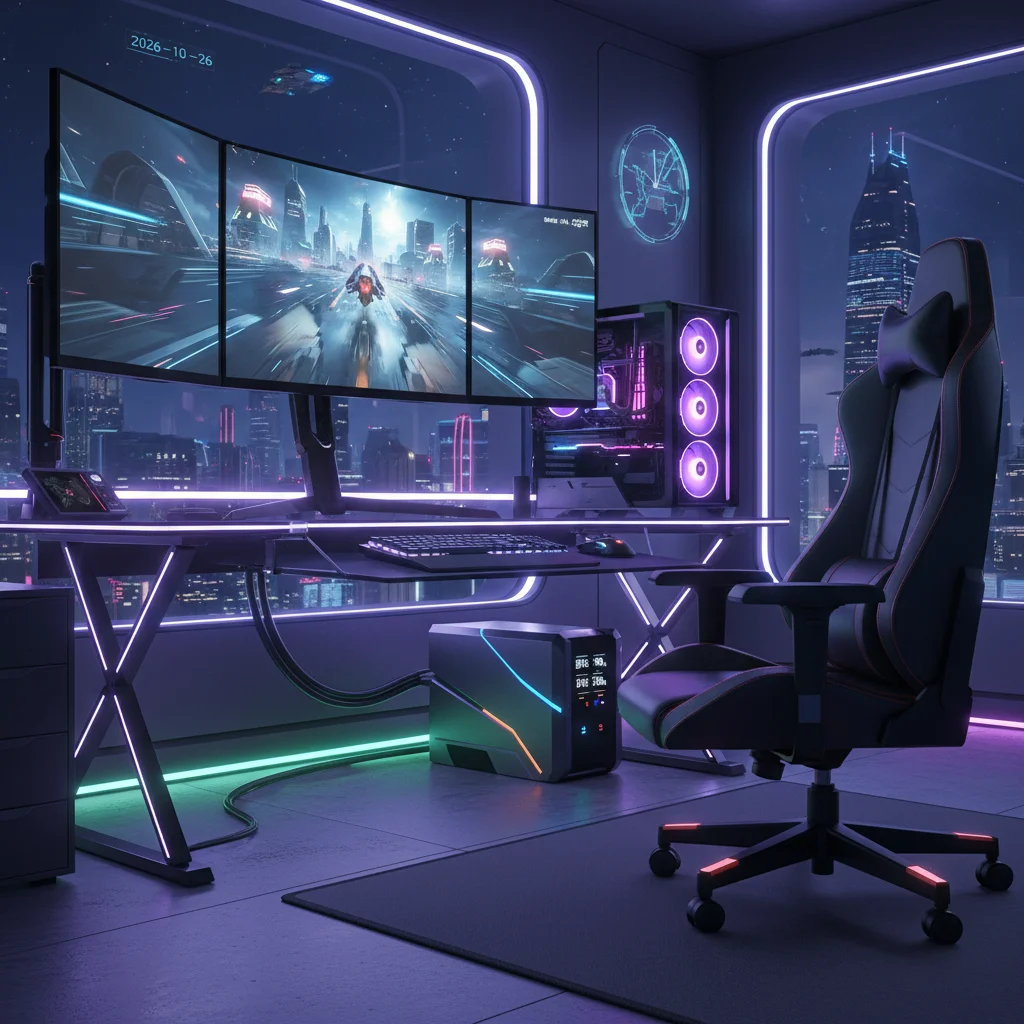
Are you a dedicated gamer who’s ever lost progress, suffered a hardware spike, or been abruptly disconnected from an intense online match due to a sudden power outage? If so, you understand the frustration and potential damage that power disruptions can cause. In the fast-evolving world of PC gaming, where high-performance components are the norm and online connectivity is paramount, safeguarding your setup is no longer a luxury but a necessity. As we look towards 2026, the demand for reliable and efficient power protection solutions for gaming PCs is higher than ever, making a robust Uninterruptible Power Supply (UPS) an indispensable part of any serious gamer’s arsenal.
The gaming landscape of 2026 features increasingly sophisticated hardware, from cutting-edge GPUs and CPUs to lightning-fast NVMe SSDs and high-refresh-rate monitors. These components not only draw significant power but are also highly sensitive to inconsistencies in the electrical supply. A sudden power cut, a voltage surge, or even a subtle brownout can lead to corrupted game files, operating system errors, or, in the worst-case scenario, irreparable damage to expensive hardware. Beyond the hardware, the impact on your gaming experience is immediate: lost progress, competitive disadvantages, and the sheer annoyance of an interrupted session.
This comprehensive guide will delve into the world of UPS systems, specifically tailored for the needs of gaming PCs in 2026. We’ll explore why a UPS is crucial, what key features to look for, and recommend the best gaming UPS 2026 models that offer optimal performance, reliability, and value. Our goal is to equip you with the knowledge to make an informed decision, ensuring your gaming sessions remain uninterrupted and your valuable hardware stays protected, no matter what electrical fluctuations come your way.
Why Every Gamer Needs a UPS in 2026
The modern gaming PC is a complex machine, a finely tuned engine of polygons and pixels that demands a stable and consistent power supply. Here’s why a UPS is more vital than ever for gamers in 2026:
Protection Against Power Outages
The most obvious benefit of a UPS is its ability to provide instant backup power during a blackout. When the main power fails, a UPS seamlessly switches to battery power, giving you precious minutes to save your game, properly shut down your PC, and prevent data corruption. This is especially critical for online multiplayer games where sudden disconnections can lead to penalties or lost rankings. Imagine being deep into a raid or a competitive match, only to have your screen go black – a UPS prevents this nightmare scenario.
Safeguarding Against Surges and Spikes
Beyond complete outages, less dramatic but equally damaging power events occur frequently. Voltage surges and spikes, often caused by lightning strikes, grid fluctuations, or even the cycling of heavy appliances in your home, can send a sudden rush of electricity through your system. Without adequate protection, these surges can fry sensitive components like your motherboard, GPU, or power supply unit (PSU). Most UPS units come with built-in surge protection, acting as a robust barrier against these destructive electrical anomalies. This is a primary reason why investing in a quality gaming UPS 2026 is a wise decision.
Preventing Brownouts and Voltage Fluctuations
Brownouts are periods of reduced voltage, often unnoticeable until your PC starts acting erratically or your monitor flickers. Sustained low voltage can stress your PSU and other components, potentially shortening their lifespan or causing instability. A good UPS, particularly a line-interactive or online model, can regulate incoming voltage, providing clean, stable power to your gaming PC regardless of minor grid fluctuations. This ensures your system operates optimally and consistently.
Data Integrity and System Stability
A sudden power loss doesn’t just interrupt your game; it can corrupt critical system files, game saves, and even your operating system. Forcing an abrupt shutdown can lead to file system errors, requiring lengthy repairs or even a complete reinstallation of your OS. A UPS provides the grace period needed for an orderly shutdown, preserving data integrity and maintaining system stability. This is paramount for any gamer who values their installed games and saved progress.
Protecting Your Investment
Gaming PCs are significant investments, often costing hundreds or even thousands of pounds. Protecting this investment with a relatively inexpensive UPS makes sound financial sense. The cost of replacing a high-end GPU or a damaged motherboard far outweighs the price of a quality UPS. Consider it insurance for your gaming rig.
Understanding UPS Technology: Types and How They Work
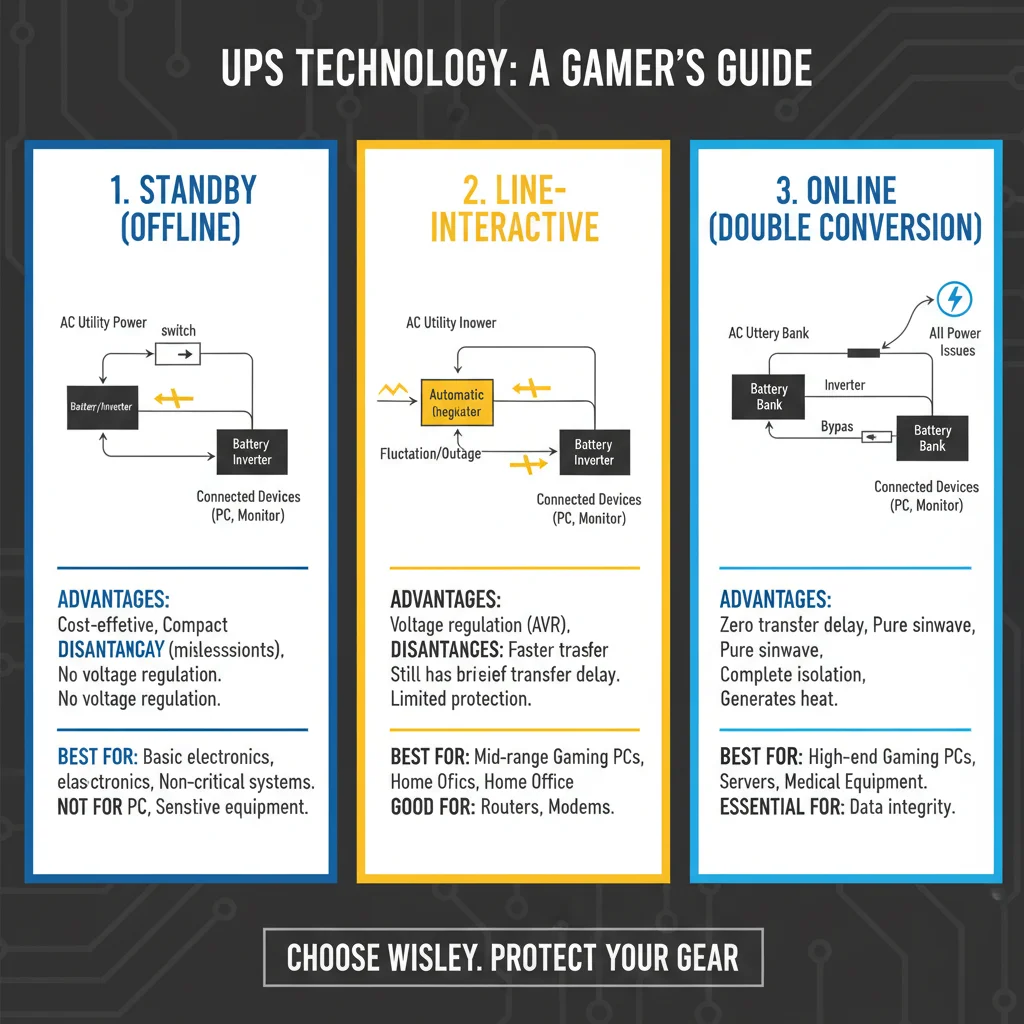
Not all UPS units are created equal. Understanding the different types available is crucial for selecting the best gaming UPS 2026 for your specific needs. There are three primary categories:
1. Standby (Offline) UPS
This is the most basic and typically the most affordable type of UPS. In normal operation, the standby UPS passes utility power directly to your connected devices while charging its battery. When a power outage or significant voltage fluctuation occurs, it switches to battery power. The transfer time (the brief moment it takes to switch) is usually around 4-8 milliseconds. For most basic electronics, this is acceptable. However, for sensitive gaming PCs, particularly those with high-end PSUs, this brief interruption can sometimes be problematic.
- Pros: Inexpensive, energy-efficient, silent operation.
- Cons: Small transfer time, minimal voltage regulation, less protection against minor power fluctuations.
- Best For: Entry-level gaming PCs, basic home office setups, or non-critical applications.
2. Line-Interactive UPS
The line-interactive UPS is a step up from the standby model and is often considered the sweet spot for many gamers. It includes an autotransformer that can regulate voltage fluctuations (brownouts and overvoltages) without switching to battery power. This means it can boost or buck the input voltage to maintain a stable output, providing cleaner power to your PC. It still switches to battery during a full outage, but the transfer time is often slightly faster than a standby UPS, and the constant voltage regulation is a significant advantage for gaming systems.
- Pros: Good voltage regulation, faster transfer times than standby, more affordable than online UPS, energy-efficient.
- Cons: Still has a transfer time, though minimal; not as robust as online UPS.
- Best For: Mid-range to high-end gaming PCs, providing excellent balance of protection and cost.
3. Online (Double Conversion) UPS
The online UPS offers the highest level of protection and is typically the most expensive. It constantly converts incoming AC power to DC to charge its battery, and then converts the DC back to AC to power your devices. This means your gaming PC is always running on clean, regenerated power from the UPS’s inverter, with the battery always in the circuit. There is absolutely no transfer time during an outage, as the battery is always active. It provides perfect power conditioning, isolating your equipment from virtually all utility power problems.
- Pros: Zero transfer time, superior power conditioning, continuous and pure sine wave output, maximum protection.
- Cons: Most expensive, less energy-efficient (due to continuous conversion), can generate more heat and noise.
- Best For: Professional gamers, streamers, competitive eSports setups, or anyone with extremely sensitive and high-value equipment where absolute power purity is paramount.
Key Features to Consider When Choosing a Gaming UPS in 2026
Selecting the right gaming UPS 2026 involves more than just picking a type. Here are the critical specifications and features to evaluate:
1. VA Rating and Wattage (Capacity)
This is arguably the most important factor. UPS capacity is measured in Volt-Amps (VA) and Watts (W). The wattage is the actual power your devices consume, while VA is the apparent power. Always match your UPS’s wattage capacity to the total wattage consumption of your gaming PC and connected peripherals (monitor, router, external drives, etc.).
- How to calculate: Add up the maximum wattage draw of your PSU, monitor(s), and any other essential devices you want to keep running. Your PSU’s rated wattage is a good starting point, but remember that your PC rarely draws its maximum. Aim for a UPS with a wattage capacity at least 20-30% higher than your estimated total draw to allow for headroom and future upgrades. A typical high-end gaming PC with two monitors might draw 600-800W.
- Rule of Thumb: For most serious gaming setups, look for a UPS with at least 1000VA / 600W to 1500VA / 900W. Extremely powerful rigs or multi-monitor setups might require 2000VA / 1200W or more.
2. Run Time (Battery Backup Duration)
This specifies how long the UPS can power your devices during an outage. For gamers, 5-15 minutes is usually sufficient to save your game and perform a graceful shutdown. If you live in an area with frequent or prolonged outages, or if you also want to power your internet router for a short period, you might aim for 20-30 minutes. Remember, higher wattage draw means shorter run times for a given UPS capacity.
3. Output Waveform: Pure Sine Wave vs. Modified Sine Wave
This is crucial for modern gaming PCs. Most high-quality PSUs (especially those with Active PFC – Power Factor Correction) require a pure sine wave output from the UPS. A modified sine wave (or simulated sine wave), often found in cheaper standby or line-interactive UPS units, can cause issues like buzzing, overheating, or even damage to sensitive PSUs over time. Always opt for a pure sine wave UPS for your gaming PC to ensure compatibility and optimal performance.
4. Number and Type of Outlets
Check how many outlets are provided and how many offer battery backup versus surge protection only. You’ll want enough battery-backed outlets for your PC, monitor(s), and possibly your router/modem. Use surge-only outlets for less critical peripherals like speakers or phone chargers.
5. Connectivity and Software
Many UPS units come with USB or serial ports and accompanying software. This software allows your PC to communicate with the UPS, providing real-time status updates (battery level, load, input voltage) and, critically, enabling automatic and graceful shutdowns of your operating system when the battery runs low. This feature is invaluable for preventing data loss if you’re away from your PC during an outage.
6. Surge Protection Rating (Joules)
While the UPS offers overall protection, its dedicated surge protection rating (measured in Joules) indicates how much energy it can absorb before failing. Higher Joule ratings offer better protection against powerful surges.
7. Noise and Heat
Online UPS units, due to their continuous conversion, can sometimes be noisier and generate more heat. For a gaming setup in a bedroom or small office, a quieter line-interactive or standby model might be preferable.
8. Replaceable Batteries
UPS batteries have a finite lifespan (typically 3-5 years). Look for models that allow for user-replaceable batteries, which can save you money in the long run by not having to replace the entire unit.
Top Gaming UPS 2026 Recommendations
Based on the criteria above, here are some of the best UPS options for gamers in 2026, covering various needs and budgets. These models are chosen for their reliability, pure sine wave output, and features relevant to high-performance gaming systems.
Best Overall (High-End Gaming): APC Back-UPS Pro BR1500MS
- Capacity: 1500VA / 900W
- Type: Line-Interactive, Pure Sine Wave
- Key Features: Excellent voltage regulation, 10 outlets (6 battery backup, 4 surge only), LCD display, USB charging ports, network protection, PowerChute software for automatic shutdown.
- Why it’s great: The BR1500MS is a perennial favorite for gamers and power users. Its 900W capacity handles most high-end gaming rigs, and the pure sine wave output ensures compatibility with sensitive PSUs. The line-interactive design provides solid voltage regulation, and the PowerChute software is robust for graceful shutdowns. It offers a good balance of features, performance, and price for a premium product.
Best Value (Mid-Range Gaming): CyberPower CP1500PFCLCD
- Capacity: 1500VA / 1000W
- Type: Line-Interactive, Pure Sine Wave
- Key Features: Higher wattage capacity for its VA rating, 12 outlets (6 battery backup, 6 surge only), multi-function LCD, USB charging ports, power management software.
- Why it’s great: This CyberPower unit is a fantastic alternative to the APC, often offering a slightly higher wattage capacity for a similar price point. Its pure sine wave output and line-interactive topology make it ideal for gaming PCs with Active PFC PSUs. The multiple outlets and comprehensive software package provide excellent utility and protection.
Budget-Friendly (Entry-Level/Mid-Range Gaming): Eaton 5S 1000VA LCD
- Capacity: 1000VA / 600W
- Type: Line-Interactive, Modified Sine Wave (check specific models for pure sine wave)
- Key Features: Compact design, 8 outlets (4 battery backup, 4 surge only), LCD display, USB connectivity for shutdown.
- Why it’s great: For gamers on a tighter budget or with less power-hungry setups, the Eaton 5S series offers reliable line-interactive protection. While some models might be modified sine wave, Eaton often provides pure sine wave options in higher VA ratings or specific product lines. Always double-check the exact model’s specifications. It’s a solid choice for basic protection and gives enough time for a safe shutdown.
Ultimate Protection (Professional/Competitive Gaming): Tripp Lite SmartOnline SU1500RTXL2UA
- Capacity: 1500VA / 1350W
- Type: Online (Double Conversion), Pure Sine Wave
- Key Features: Zero transfer time, continuous pure sine wave output, high wattage capacity, rack/tower convertible, advanced network management options.
- Why it’s great: If you’re a professional streamer, eSports competitor, or simply demand the absolute best in power protection, an online UPS like this Tripp Lite unit is unmatched. It provides pristine power quality, completely isolating your system from grid issues. The high wattage capacity supports even the most extreme gaming rigs. Be prepared for a higher price point and potentially more fan noise, but for mission-critical gaming, it’s worth it.
Setting Up Your Gaming UPS for Optimal Performance
Once you’ve chosen your gaming UPS 2026, proper setup is key to maximising its effectiveness:
1. Connect Essential Components Only
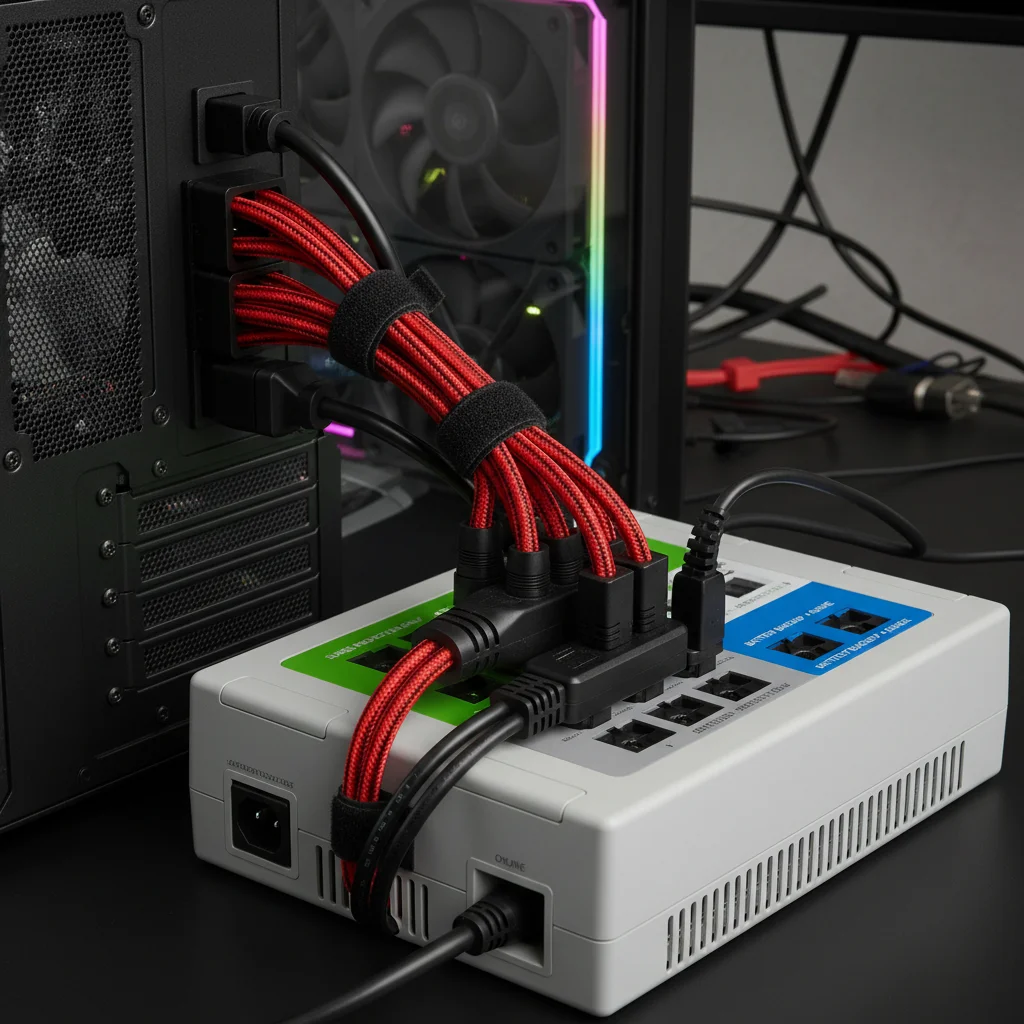
Plug your gaming PC (tower), primary monitor(s), and your internet router/modem into the battery-backed outlets. Avoid plugging in non-essential, high-power-draw devices like laser printers, space heaters, or mini-fridges, as they will quickly drain the battery.
2. Install the Software
Connect the UPS to your PC via the provided USB cable and install the manufacturer’s power management software (e.g., APC PowerChute, CyberPower PowerPanel Personal). Configure the software to perform an automatic, graceful shutdown of your PC after a specified period on battery power (e.g., 5-10 minutes) or when the battery reaches a critical level.
3. Initial Charge
Allow the UPS to charge fully for at least 8-12 hours before connecting your equipment and relying on its battery backup. This ensures the batteries are conditioned and ready for use.
4. Test Regularly
Periodically test your UPS by unplugging it from the wall (briefly!) to ensure it switches to battery power correctly and that your connected devices continue to run. Check the battery health through the software or the UPS’s LCD display.
5. Ventilation
Ensure the UPS has adequate ventilation. Do not block its vents, as proper airflow prevents overheating, especially for larger units.
Common Misconceptions About Gaming UPS
Let’s address a few common myths and misunderstandings surrounding UPS units for gaming:
Myth 1: A Power Strip with Surge Protection is Enough
While surge protectors are vital, they only protect against surges. They offer no protection against power outages, brownouts, or voltage sags. A UPS provides both surge protection and battery backup, making it a superior solution for comprehensive power conditioning and continuity.
Myth 2: UPS Units Are Only for Servers or Businesses
This was true in the past, but with the increasing power demands and sensitivity of modern gaming PCs, UPS units have become highly relevant for home users and gamers. The cost of a good gaming PC justifies the investment in proper power protection.
Myth 3: All UPS Units Are the Same
As discussed, there are significant differences between standby, line-interactive, and online UPS types, as well as crucial distinctions in wattage, waveform, and features. Choosing the wrong type or an underpowered unit can leave your gaming rig vulnerable.
Myth 4: A UPS Will Power My PC for Hours
Most consumer-grade UPS units are designed to provide enough run time for a graceful shutdown, typically 5-20 minutes, not hours. Extending run time significantly requires larger, more expensive batteries or external battery packs, which are usually overkill for a gaming setup.
The Future of Gaming Power Protection
As we advance towards 2026 and beyond, gaming hardware will continue to push the boundaries of performance and power consumption. We can anticipate UPS technology to evolve alongside it:
- Increased Efficiency: Manufacturers will continue to improve the energy efficiency of UPS units, reducing operating costs and heat generation.
- Smarter Management: Integration with smart home ecosystems and more sophisticated AI-driven power management software will allow for predictive maintenance, better energy usage optimization, and more seamless integration with gaming platforms.
- Modular Designs: More modular UPS systems might emerge, allowing gamers to easily expand battery capacity or upgrade components.
- Sleeker Aesthetics: As gaming setups become more refined, UPS units may adopt more aesthetically pleasing designs to blend seamlessly into modern gaming environments.
- Enhanced Connectivity: Expect more USB-C ports, faster data transfer for management, and potentially wireless charging capabilities integrated into UPS units for peripherals.
Conclusion: Secure Your Victory with a Gaming UPS
In the dynamic and demanding world of PC gaming in 2026, a reliable Uninterruptible Power Supply is no longer an optional accessory but a fundamental component for any serious gamer. Investing in a quality gaming UPS 2026 means more than just preventing lost game progress; it’s about safeguarding your significant hardware investment, ensuring system stability, and, most importantly, preserving your peace of mind.
By understanding the different types of UPS technology, carefully calculating your power needs, and prioritising features like pure sine wave output and adequate wattage, you can select the perfect UPS to protect your gaming sanctuary. Whether you opt for a robust line-interactive model like the APC Back-UPS Pro or CyberPower CP1500PFCLCD, or an ultimate online solution for professional-grade protection, you’ll be well-equipped to handle any power anomaly that comes your way.
Don’t let a sudden flicker or a complete blackout dictate your gaming fate. Empower your setup with a UPS, ensuring uninterrupted play, peak performance, and the longevity of your cherished gaming rig. Secure your victories, protect your data, and game on with confidence!