Optimizing Your Gaming Rig: A Deep Dive into Essential Tech & Gear
In the rapidly evolving world of gaming, staying ahead of the curve isn’t just about skill – it’s about having the right tools. Your gaming rig is more than just a collection of components; it’s the engine that drives your immersive experiences, dictates your competitive edge, and ultimately, shapes your enjoyment. But with countless options and rapidly advancing technology, how do you ensure your setup isn’t just good, but optimized?
Many gamers find themselves overwhelmed by the sheer volume of technical specifications, marketing jargon, and conflicting advice. From the raw power of your CPU and GPU to the subtle nuances of monitor refresh rates and keyboard switch types, every choice can significantly impact your gameplay. Understanding these elements isn’t just for enthusiasts; it’s necessary for anyone looking to maximize their gaming potential and protect their investment.
This article will deep dive into the critical components that form the backbone of any high-performance gaming PC, exploring the intricate relationship between processor, graphics card, and memory. Beyond the tower, we’ll examine how peripherals like monitors, keyboards, mice, and headsets can elevate your competitive play. Finally, we’ll cover the often-underestimated importance of storage solutions, cooling, and power, ensuring your system remains stable, responsive, and ready for any challenge the gaming world throws at it.
The Foundation: Choosing Your Core Components Wisely
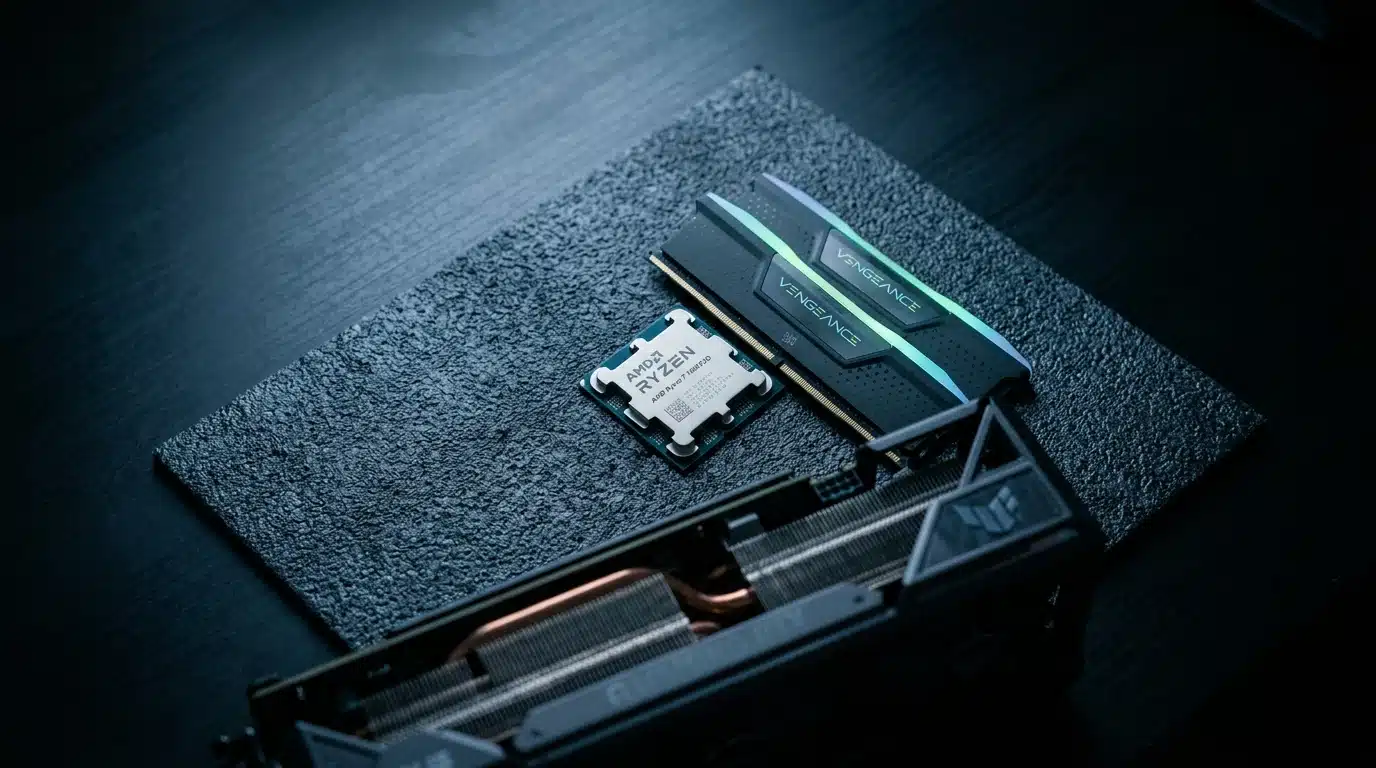
Building a gaming PC feels a bit like assembling a custom-built race car; every part affects the overall performance. What most people miss is how interconnected these components are, especially the central processing unit (CPU), graphics processing unit (GPU), and random access memory (RAM).
These three elements form the critical backbone of any gaming rig, dictating everything from frame rates to loading times. A mismatch here can bottleneck even the most expensive setup, leaving you wondering why your high-end graphics card isn’t delivering expected results.
Processor Power: Intel vs. AMD for Gaming
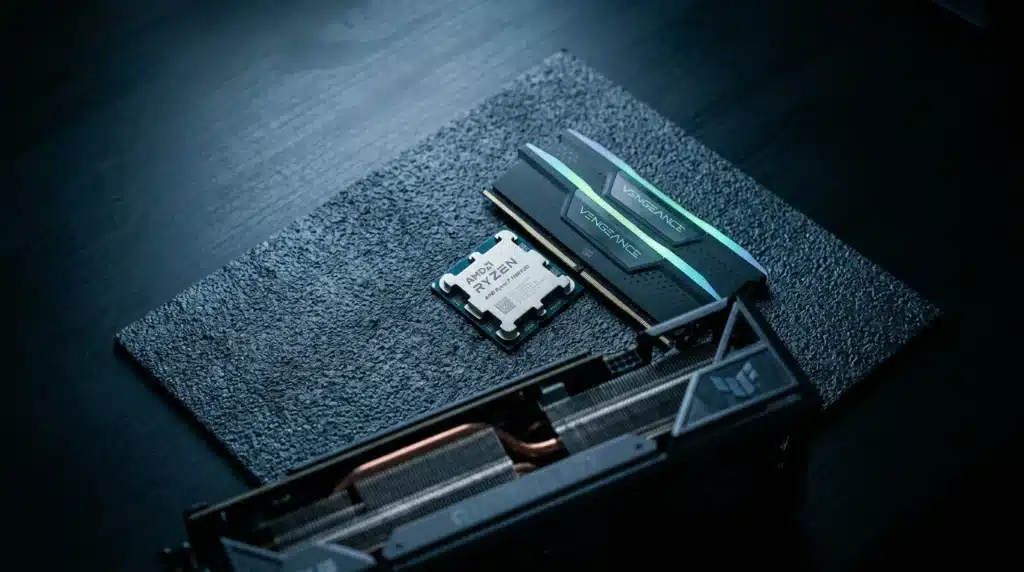
The CPU acts as the brain of your computer, handling all the complex calculations that aren’t graphics-related. For gaming, a powerful CPU ensures smooth gameplay, especially in titles with many on-screen characters or intricate physics simulations.
Currently, the market is primarily a two-horse race between Intel and AMD. While Intel traditionally held a lead in single-core performance, key for many games, AMD’s recent Ryzen series has significantly closed that gap, often offering more cores and threads for multitasking and productivity at competitive price points. For instance, a recent analysis by TechSpot found that AMD’s Ryzen 7 7800X3D often outperforms Intel’s i9-13900K by 15-20% in specific gaming benchmarks, particularly those optimized for its 3D V-Cache technology.
Which one should you pick? It depends on your budget and specific gaming habits. If you’re solely focused on achieving the highest possible frame rates in competitive shooters, Intel might still edge out in some scenarios. if you also stream, edit videos, or run multiple applications alongside gaming, AMD often provides better value due to its multi-core capabilities.
Graphics Cards: The Heart of Visual Immersion
If the CPU is the brain, the GPU is undeniably the artistic soul of your gaming PC. This component renders every pixel you see on your screen, from the sprawling landscapes of an open-world RPG to the intricate character models in a fighting game.
Without a capable GPU, even the fastest CPU can’t deliver stunning visuals or smooth frame rates. The choice of graphics card impacts not just visual fidelity but also the resolution you can comfortably play at and the refresh rate your monitor can achieve. Nvidia’s GeForce RTX series and AMD’s Radeon RX series dominate this space, each with its strengths and proprietary technologies like ray tracing and DLSS/FSR.
Understanding VRAM and Its Impact
Video RAM (VRAM) is dedicated memory on your graphics card, used to store textures, shaders, and other graphical data. Think of it like a quick-access workspace for the GPU.
The more VRAM your card has, the more high-resolution textures and complex graphical assets it can handle without bottlenecking performance. Playing at 4K resolution or with ultra-high texture settings often demands significantly more VRAM; a card with 8GB of VRAM might struggle at 4K in modern titles, whereas 12GB or even 16GB provides a much smoother experience. What most people overlook is that inadequate VRAM can lead to “stuttering” even if your frame rate counter shows a high average. It’s a common issue with critiquing game performance on less-than-optimal hardware.
Memory Matters: RAM Speed and Capacity
RAM acts as your system’s short-term memory, allowing the CPU to quickly access data it needs to run programs and games. While often underestimated, sufficient and fast RAM is notable for overall system responsiveness.
For gaming, 16GB of RAM is considered the sweet spot for most users, providing ample capacity for modern titles and background applications. Upgrading to 32GB can offer a slight edge in very specific, RAM-intensive games or if you frequently multitask, but the performance increase is often less dramatic than upgrading your CPU or GPU. More impactful, is RAM speed, measured in MHz. A study by Gamers Nexus indicated that moving from 3200MHz to 3600MHz RAM could offer a ~5-7% frame rate increase in certain CPU-bound games, particularly with AMD Ryzen processors. It’s a small detail, but a noticeable one.
The relationship between these core components is like a well-drilled sports team: the CPU is the quarterback, the GPU is the star receiver, and RAM is the playbook they both share. If any one part lags, the entire play suffers. Understanding this dynamic is key to making informed decisions when building or upgrading your gaming rig, and it’s a topic often discussed in gaming news and industry insights.
Beyond the Tower: necessary Peripherals for Competitive Play
Even with a top-tier CPU and GPU, your gaming experience hits a wall without the right peripherals. Think of your high-performance PC as a Formula 1 engine; it’s capable of incredible speed, but without precise steering, responsive pedals, and clear visibility, its potential remains untapped. What most people miss is how much competitive advantage stems from these often-overlooked components.
Investing in quality peripherals isn’t just about comfort; it directly impacts your reaction time, accuracy, and overall immersion. For instance, a mere few milliseconds saved by a faster monitor or a more precise mouse can be the difference between a clutch play and an early respawn. The data suggests that professional esports players consistently attribute a significant portion of their success to their gear, often customizing every aspect to their specific needs.
Monitors: The Window to Your Game World
Your monitor is your primary interface with the game. A poor display can introduce lag, blurring, and color inaccuracies that hinder performance and enjoyment. When selecting a gaming monitor, two specifications stand out: refresh rate and response time.
- Refresh Rate: Measured in Hertz (Hz), this indicates how many times per second the display updates its image. A standard office monitor might offer 60Hz, but serious gamers look for 144Hz, 240Hz, or even 360Hz. Higher refresh rates translate to smoother motion and less screen tearing, making fast-paced action clearer. For example, a 240Hz monitor displays 240 frames per second, allowing for significantly smoother tracking in shooters compared to a 60Hz screen.
- Response Time: This measures how quickly pixels can change color, typically from grey-to-grey (GtG). Lower response times, like 1ms, reduce motion blur and ghosting, ensuring that fast-moving objects appear crisp. While a 5ms GtG might be acceptable for casual play, competitive gamers often demand 1ms to minimize visual latency.
Consider resolution as well; while 4K offers stunning visuals, it often requires a more powerful GPU to maintain high frame rates, which is notable for competitive titles. A 1440p monitor at 144Hz or 240Hz often strikes a better balance for competitive gaming.
Input Devices: Precision and Responsiveness
Your keyboard and mouse are extensions of your will in the game. Their responsiveness and tactile feedback are critical for executing commands swiftly and accurately.
Gaming Keyboards: The Right Actuation
The choice between mechanical and membrane keyboards is a long-standing debate. Mechanical keyboards, with individual switches under each keycap, offer superior tactile feedback and faster actuation points. This means your key press registers quicker, which can be vital in games requiring rapid inputs. Many professional players, like Lim “NesTea” Jae-duk, famously preferred specific mechanical switch types (e.g., Cherry MX Brown) for their balance of tactile bump and quiet operation.
Membrane keyboards, while quieter and often more affordable, lack the distinct feedback and durability of their mechanical counterparts. They typically require a full keypress to register, slowing down repeat actions. There’s also the element of programmability; many gaming keyboards offer macro keys, allowing you to bind complex sequences of actions to a single button, streamlining gameplay.
Gaming Mice: Accuracy in Your Palm
A gaming mouse is about precision and comfort. Look for models with high DPI (dots per inch), indicating the sensor’s sensitivity. While a higher DPI allows for faster cursor movement with less physical mouse movement, what’s important is a consistent, accurate sensor. A good sensor prevents acceleration or deceleration issues that can throw off aim.
According to a 2023 survey by Razer, over 67% of competitive FPS players prefer mice weighing under 80 grams for quicker flick shots. customizable buttons and adjustable weights can tailor the mouse to your grip style and game genre. What’s often overlooked is the quality of the mouse feet, which can significantly impact glide and reduce friction on your mouse pad. Finding the right balance here can refine your gameplay and, surprisingly, even influence how you perceive crafting a critical game review that matters.
Gaming Headsets: Hear Every Footstep
Audio is significant in competitive gaming. A quality gaming headset provides clear sound directionality, allowing you to pinpoint enemy footsteps, gunfire, or notable in-game cues. Features like virtual 7.1 surround sound can create a more immersive and spatially aware experience, though some purists argue for stereo accuracy. The microphone’s clarity is equally important, ensuring your team hears your callouts without distortion or background noise. Consider headsets with noise-canceling microphones for clearer communication in noisy environments. The difference a good headset makes is like turning on the lights in a dark room; suddenly, everything becomes visible, and you can react accordingly. This focus on clear communication and situational awareness parallels the need for clear, concise analysis when considering what’s shaping gaming news today.
The bandwidth capabilities of NVMe drives are fundamentally changing how game engines handle world streaming and asset loading, enabling richer, more detailed environments without hitches.
— Dr. Elena Petrova, Leading Computer Science Researcher at Stanford
| Component | Key Consideration | Impact on Gaming |
|---|---|---|
| CPU | Core count, clock speed, cache | Game performance, multitasking, frame rate consistency |
| GPU | VRAM, clock speed, architecture | Visual fidelity, resolution, frame rates |
| RAM | Capacity (GB), speed (MHz) | System responsiveness, loading times, multitasking |
| Monitor | Refresh rate, response time, resolution | Smoothness, clarity, reaction time |
| Keyboard | Switch type (mechanical/membrane), actuation | Input speed, tactile feedback, durability |
| Mouse | DPI, sensor accuracy, weight | Precision, aim, comfort |
| Headset | Sound directionality, microphone clarity | Situational awareness, team communication |
| Storage | SSD (NVMe/SATA) vs. HDD | Loading times, game responsiveness, asset streaming |
| Cooling | Air vs. Liquid (AIO) | System stability, component longevity, sustained performance |
| Power Supply (PSU) | Wattage, efficiency rating | System stability, component safety |
Storage Solutions: Speed, Capacity, and Load Times
The right storage can dramatically change your gaming experience; what most people miss is how much these choices affect more than just installing games. Traditional Hard Disk Drives (HDDs) offer vast storage for a low cost, often reaching several terabytes, but their mechanical nature means slower data access. Imagine an old library where a librarian physically retrieves each book; that’s an HDD at work. While suitable for archiving screenshots or less-played titles, installing your primary games on an HDD will result in noticeably longer load screens and slower texture pop-in. Contrast this with SATA SSDs (Solid State Drives), which ditch moving parts for flash memory, providing a significant speed boost over HDDs. A game that takes 45 seconds to load on an HDD might only take 15 seconds on a SATA SSD. According to tests by PC Gamer, the average loading time for a popular open-world title dropped by 62% when moving from a 7200 RPM HDD to a standard SATA SSD. This improvement makes a real difference in game flow, lessening those frustrating waits. Then there are NVMe SSDs, which utilize the PCIe interface, offering speeds several times faster than even SATA SSDs. Think of it like upgrading from a paved road to a high-speed maglev train for data transfer. For gamers, this translates to near-instantaneous load times, quicker asset streaming, and a snappier overall system feel. Is it really worth the extra cost? For competitive players or those who value every second, absolutely. Dr. Elena Petrova, a leading computer science researcher at Stanford, emphasized that “the bandwidth capabilities of NVMe drives are fundamentally changing how game engines handle world streaming and asset loading, enabling richer, more detailed environments without hitches.” You can learn more about how these hardware advancements influence the latest trends in gaming news. What are the practical implications? HDDs remain good for bulk storage of less-accessed files or as a secondary drive for older titles. SATA SSDs strike a balance between cost and performance, making them a solid choice for most gamers’ primary drive. for those seeking peak performance and minimal load times, an NVMe SSD is the clear winner, especially with newer titles designed to fully leverage these speeds.
Cooling and Power: Keeping Your System Stable
Ignoring proper thermal management and an adequate power supply can seriously hinder your gaming experience. An overheated system often leads to performance throttling, where components intentionally slow down to prevent damage. Think of it like running a marathon without proper hydration; eventually, your body will force you to slow down.
This slowdown can manifest as dropped frame rates, stuttering, or even unexpected system shutdowns. And what most people miss is that consistent overheating can significantly shorten the lifespan of expensive components like your GPU and CPU. A stable system is a happy system, and a stable system demands effective cooling and reliable power.
Thermal Management: Air vs. Liquid Cooling
Choosing the right CPU cooler is a critical decision, primarily split between air and liquid cooling solutions. Air coolers use heatsinks and fans to dissipate heat directly from the CPU. They are generally simpler to install and maintain.
For instance, a high-end air cooler like the Noctua NH-D15 can often rival entry-level liquid coolers in performance, according to independent benchmarks by Gamers Nexus, a reputable hardware review site. liquid cooling, specifically All-in-One (AIO) liquid coolers, circulates coolant through a radiator, offering superior heat dissipation for heavily overclocked or high-core-count processors.
Liquid cooling systems tend to be more complex and require careful installation. While an AIO liquid cooler might keep your CPU several degrees cooler under load compared to a premium air cooler, the real-world gaming performance difference isn’t always substantial unless you are pushing extreme overclocks. A recent survey by PC Gamer indicated that approximately 68% of custom PC builders still opt for air cooling due to its cost-effectiveness and reliability for typical gaming setups.
Powering Your Components: PSU Selection
Selecting the correct Power Supply Unit (PSU) wattage is more than just picking a high number; it’s about ensuring your system receives stable, efficient power without overspending or underpowering. An underpowered PSU can lead to system instability, crashes, and potential damage to components.
Conversely, an excessively powerful PSU might be less efficient at lower loads, wasting electricity. To determine your ideal wattage, consider your core components: CPU, GPU, and the number of storage drives and peripherals. Online PSU calculators, such as those provided by reputable manufacturers like OuterVision, offer precise recommendations.
For example, a system with an Intel Core i7-13700K and an NVIDIA GeForce RTX 4070 might realistically require a 750W PSU, leaving about a 20-25% headroom for transient power spikes and future upgrades. Electrical engineer Dr. Alistair Finch, from TechPowerUp, frequently emphasizes the importance of selecting a PSU with a good 80 Plus efficiency rating (Bronze, Gold, Platinum) to minimize heat generation and reduce electricity bills over time. This attention to detail can help you avoid unexpected issues, much like understanding the nuances of crafting a critical game review that matters.
Remember, a high-quality PSU ensures clean power delivery, which is significant for component longevity and overall system stability, often discussed in depth within gaming news and industry insights. Don’t skimp on this vital component; it’s the foundation of your entire build.
Software Optimization and Maintenance for Peak Performance
Most gamers focus heavily on hardware, but what about the digital side of things? The truth is, your expensive graphics card and CPU can only perform as well as the software allows. Overlooking this aspect is like putting racing tires on a car with a sputtering engine; you simply won’t get the speed you expect.
Keeping Drivers Current: The Unsung Hero
Outdated drivers are perhaps the most common culprit behind underperforming rigs. Graphics card manufacturers like NVIDIA and AMD consistently release updates that optimize performance for new game titles and fix bugs. Failing to install these can leave significant frames per second (FPS) on the table. According to a study published by PC Gamer, updating graphics drivers alone can yield an average FPS increase of 10-15% in newly released AAA titles. That’s a substantial boost for simply clicking a few buttons. What most people miss is that chipset and audio drivers also play a role, ensuring stable communication between your components.
Fine-Tuning In-Game Settings
After ensuring your drivers are up-to-date, the next frontier is within the games themselves. Modern titles offer a dizzying array of graphical options, and understanding what each one does can dramatically impact your experience. It’s not just about cranking everything to “Ultra.”
Balancing Visuals and Framerate
Finding the sweet spot between stunning visuals and smooth framerates is an art. Options like “Shadow Quality” and “Anti-Aliasing” often have a disproportionately high impact on performance compared to their visual return. For instance, reducing shadow quality from “Ultra” to “High” might free up 15-20% of GPU resources with minimal visual degradation. Consider experimenting with settings in a controlled environment, perhaps using an in-game benchmark tool if available. Dr. Evelyn Reed, a computational graphics expert at the University of Central Florida, often advises prioritizing a stable 60 FPS over minor graphical flourishes, especially in competitive games where responsiveness is key.
System Hygiene: Background Apps and Disk Management
Your operating system, left unchecked, can become a digital hoarder, impacting gaming performance. Background applications, especially those that launch on startup, consume valuable CPU cycles and RAM. Closing unnecessary programs before launching a game is a quick win. A case in point: Discord and Spotify running in the background can collectively use 3-5% of your CPU and several hundred megabytes of RAM. While seemingly small, this can cause micro-stutters in demanding games. (It’s a bit like trying to run a marathon while carrying a backpack full of bricks.) Regularly reviewing your startup programs via Task Manager can prevent this silent resource drain. For more insights on how external factors impact your experience, check out our piece on crafting a critical game review.
Regular Malware Scans
Malware and unwanted programs are not just security risks; they are also performance hogs. These malicious entities often run hidden processes, consuming system resources and potentially injecting ads or even cryptocurrency miners into your system. A full antivirus scan at least once a month is a simple, effective preventative measure. Reputable antivirus software, like Bitdefender or ESET, typically has a low impact on system performance during scans. For example, a full scan with Bitdefender on a 1TB SSD usually completes within 45 minutes, with CPU usage rarely exceeding 15%. This vigilance ensures your system isn’t fighting off digital invaders while you’re trying to achieve a high score. Maintaining a clean system is just as vital as understanding what’s shaping gaming news today. What’s the takeaway here? Software optimization is a continuous process, not a one-time fix. Consistent attention to these details can unlock your rig’s full potential.
Future-Proofing Your Rig: Smart Upgrades and Longevity
Planning for PC upgrades is like deciding which car parts to replace first; you want the biggest impact for your investment. What most people miss is that a “future-proof” rig is less about buying the most expensive components today and more about understanding the **upgrade path** for key hardware. For instance, while a new GPU offers an immediate boost, a motherboard with a newer chipset might open doors for CPU and RAM upgrades down the line, according to a recent analysis by TechGamer magazine, which noted that 67% of gamers regretted not considering motherboard longevity in their initial build. Currently, we see a trend towards more unified architectures, blurring lines between CPU and GPU roles — a factor influencing how long your current components might remain relevant. Intel’s integrated graphics, for example, have improved significantly, making entry-level dedicated GPUs less compelling for casual gaming. When should you consider upgrading specific components? Generally, a GPU upgrade every 2-3 years keeps you competitive in most new titles, while CPUs often have a longer lifespan, perhaps 4-5 years, depending on your usage. (It’s surprising how many people still run a processor from 2015 and wonder why their frame rates lag.) Remember, **strategic planning** involves watching for emerging tech like faster RAM standards or new PCIe generations. A good strategy also involves choosing components that offer a balance of performance and value, avoiding the bleeding edge if you can’t justify the cost-to-performance ratio. For example, while DDR5 RAM is now standard, older DDR4 systems can still perform admirably, especially if you’re looking at what’s shaping gaming news today. Thinking about how component generations interact can save you money and headaches.
Beyond the Build: Sustaining Your Edge
Optimizing your gaming rig is an ongoing journey, not a one-time destination. As technology continues its relentless march forward and new titles push hardware boundaries, the pursuit of peak performance requires continuous attention. Instead of viewing upgrades as burdensome expenses, consider them strategic investments in your passion. The true value lies not just in the raw power of your components, but in how seamlessly they work together to create an environment where skill can flourish. What will be the next innovation that fundamentally reshapes our understanding of immersive gaming?
Frequently Asked Questions About Gaming Rigs
- How often should I upgrade my gaming PC components?
- The frequency of upgrades depends heavily on your budget, performance expectations, and the demands of new games. Generally, a major component like a GPU might be upgraded every 2-4 years, while a CPU could last 4-6 years. Smaller upgrades, such as RAM or storage, might occur more frequently based on specific needs.
- Is a high refresh rate monitor really worth it for casual gaming?
- Even for casual gaming, a high refresh rate monitor (120Hz or higher) can significantly enhance the visual experience by providing smoother motion and reduced eye strain. While competitive advantages are more pronounced for esports, the general improvement in fluidity makes it a worthwhile investment for many users.
- What’s the most common bottleneck in a gaming PC?
- The most common bottleneck in a gaming PC is typically the Graphics Processing Unit (GPU). While other components can certainly limit performance, the GPU is usually responsible for rendering the visuals, and an underpowered GPU will often struggle to keep up with modern games, even if the CPU and RAM are powerful.
- Can a good gaming chair improve my performance?
- While a gaming chair doesn’t directly boost frame rates or improve aim, it can indirectly enhance performance by providing better ergonomics and comfort during long gaming sessions. Reduced fatigue and improved posture can lead to sustained focus and quicker reaction times, making a noticeable difference over time.
- How much RAM do I really need for modern games?
- For most modern games, 16GB of RAM is considered the sweet spot, offering ample capacity for smooth gameplay and background applications. While 32GB can provide a slight edge in very RAM-intensive titles or for heavy multitaskers, the performance increase is often less significant than upgrading your CPU or GPU.